

Release March 2026
We are happy to deliver the brandnew March 2026 Release with the new New Security Policies and New Workbook Folders! Try it now!
Remember, the Frontend is the user friendly spreadsheet for your Collector Users to deliver their monthly/weekly/daily data. The Admin Center is the tool for the Power User to setup and control your organization’s collection workflows.
(1) Admin Center: New Password / 2FA Policy Settings
a. Personal Security Settings
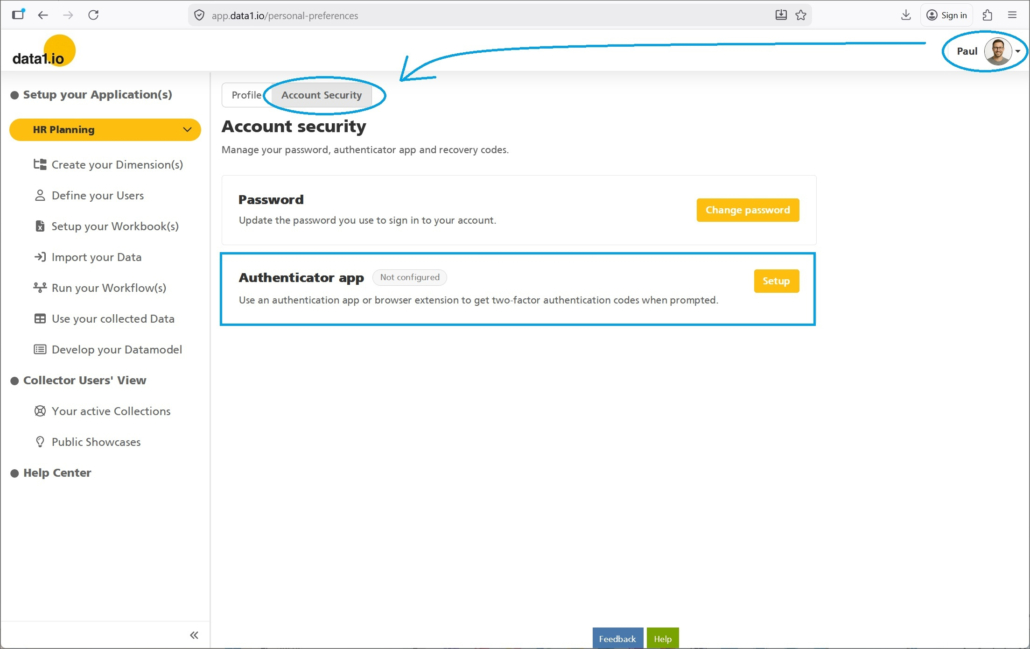
You as a user now have the possibility to define your personal security settings. For this reason we have removed the “Forgot Password” link on the user profile page …
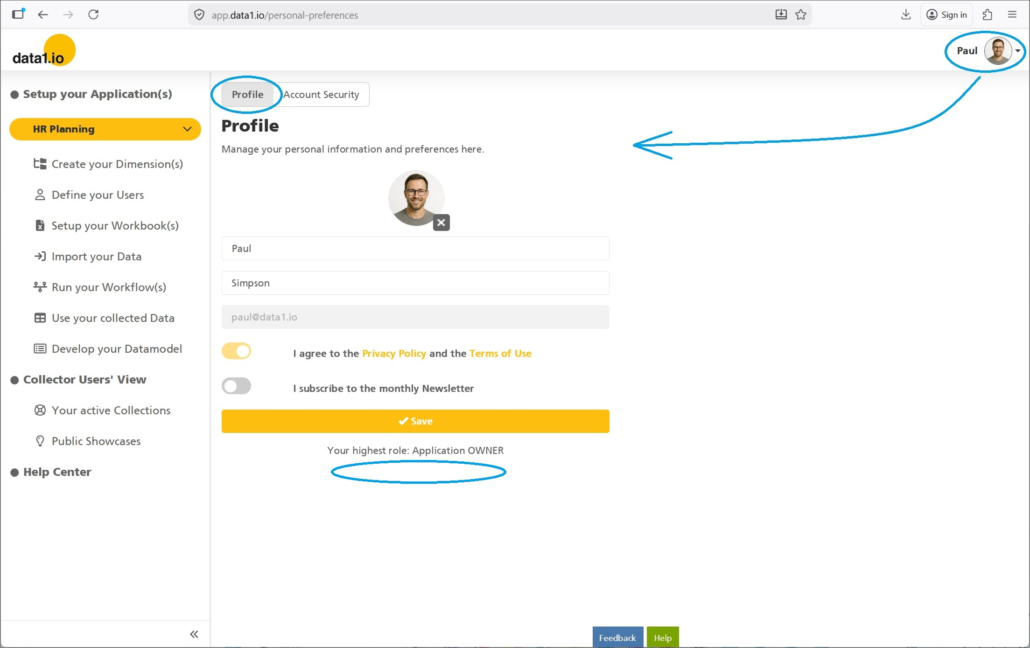
… since you`ll find the new ribbon Account Security with the button to Change password:
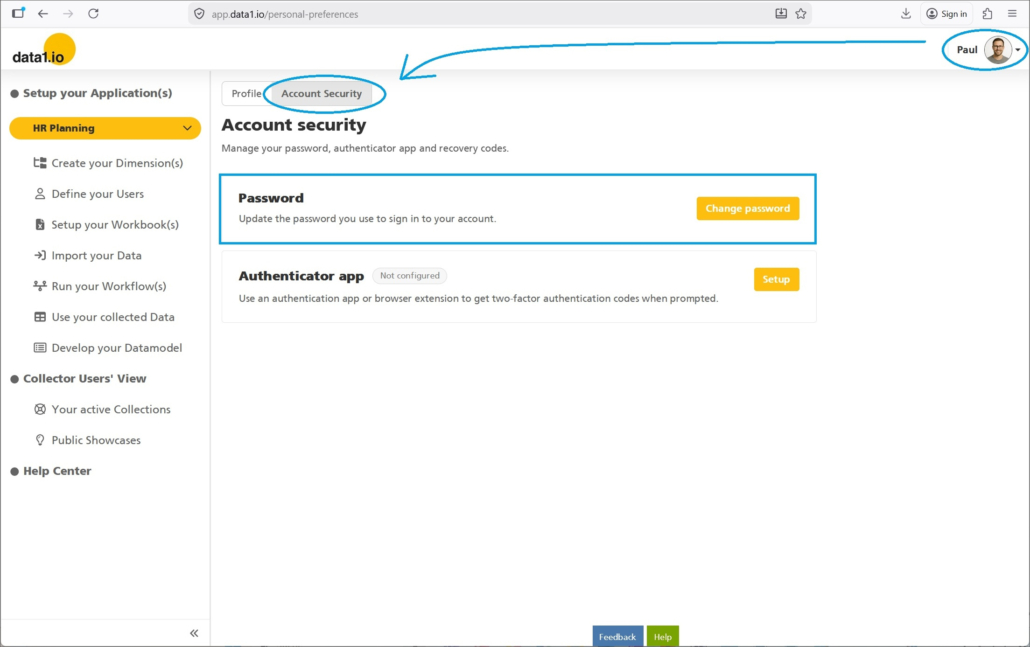
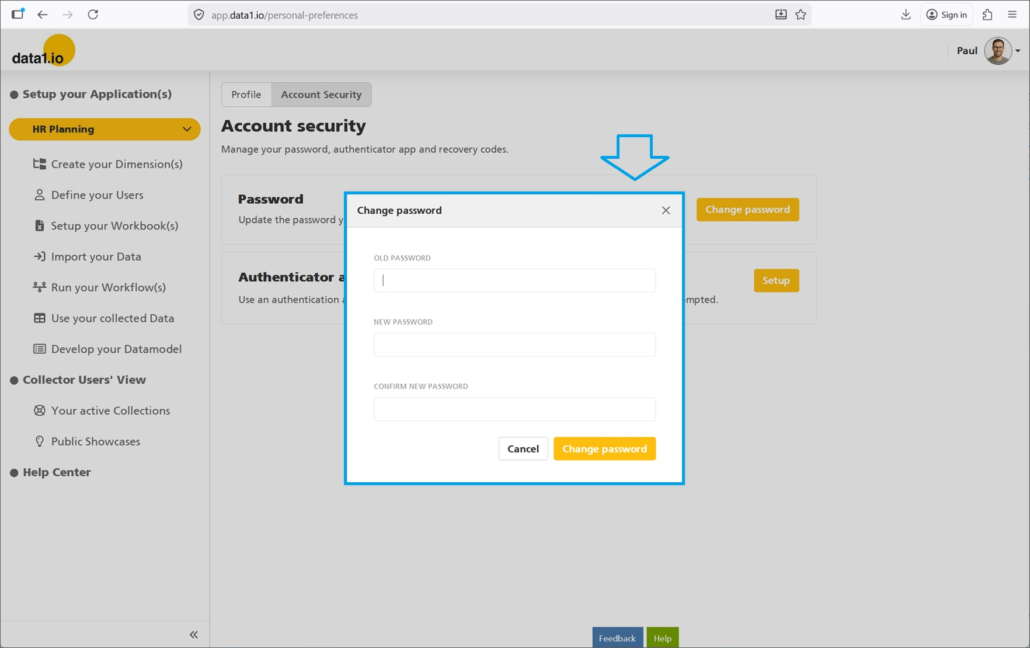
Just enter your old password and the define and acknowledge your new password:
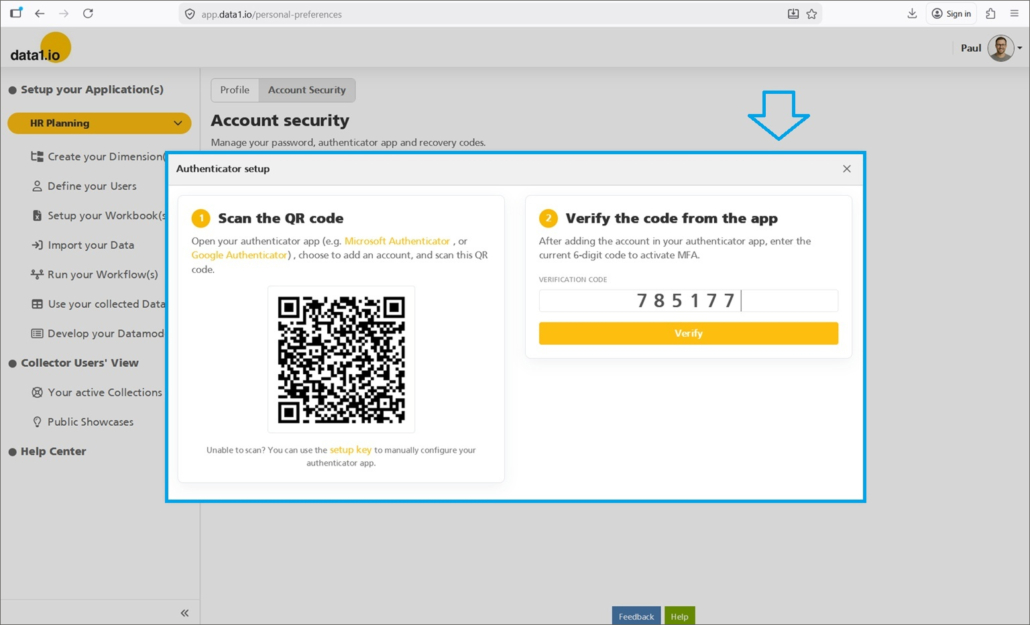
Furthermore, you can activate 2-Factor-Authentication (2FA) for your account in order to increase dramatically the security level of your account:
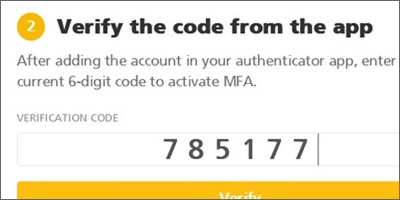
You can use any Authenticator app (Microsoft, Google, etc.) – simply scan the QR code in your personal Authenticator app and verify it with the code from the app:
b. Tenant Security Policies – Definitions
We have even more than the increase of personal security settings. As a tenant admin now you can also define your tenant wide security policy!
You`ll find the new ribbon Authentication settings in your Organization settings:
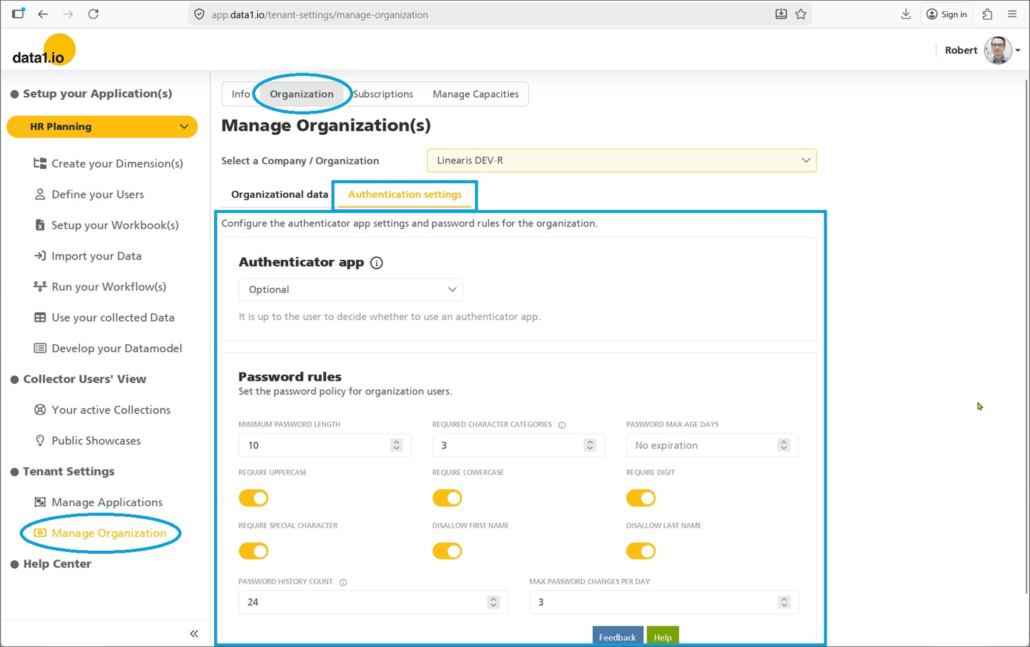
First, define 2FA authentication to be obligatory in your tenant or optional:

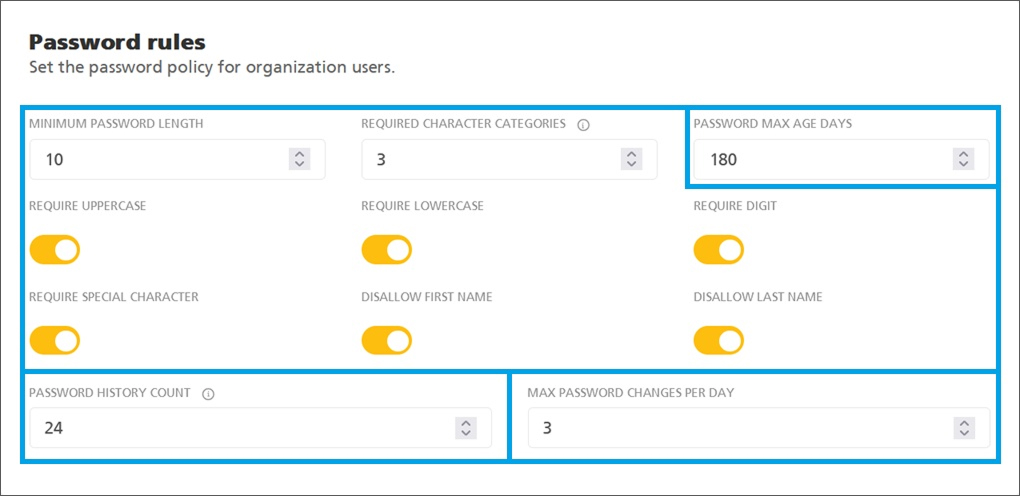
Second, define the password policy for your tenant:
- Requirements for password length etc.
- Max Age for passwords (= in days)
- Password history count (= after how many pwd changes the same pwd can be used again)
- Max password changes per day
c. Tenant Security Policies – Users
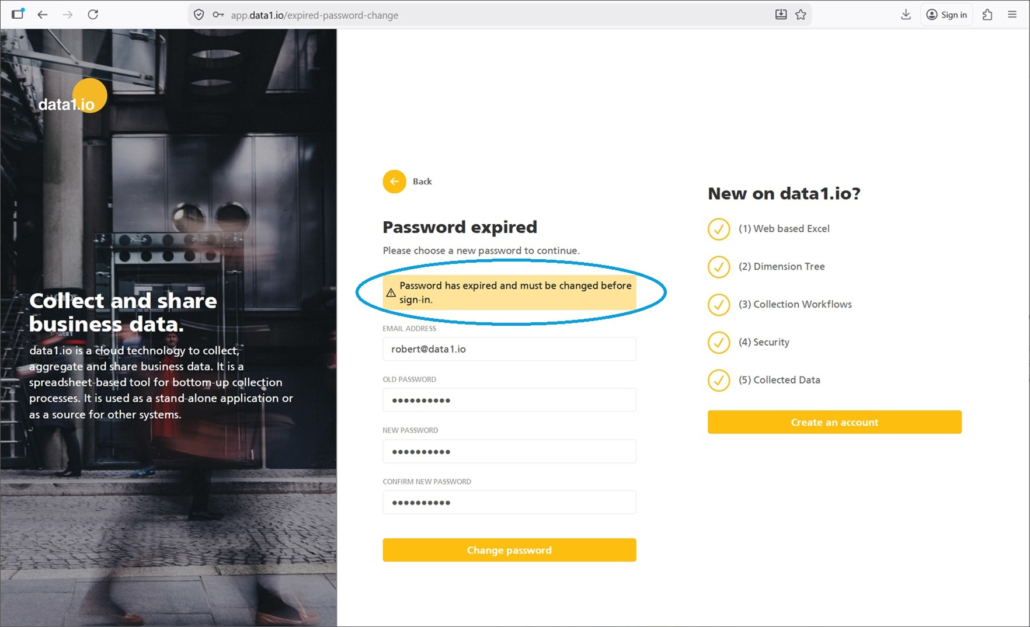
Your (End & Power) Users are forced to fulfil the defined tenant wide security policy, e.g. change their password after the defined period of time:
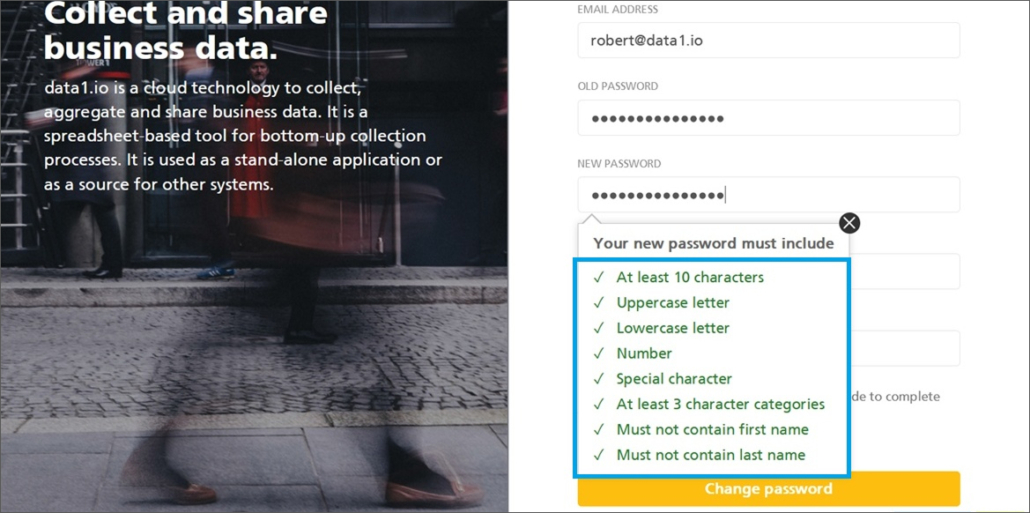
Your individually defined password rules are – of course – shown also to your end users:
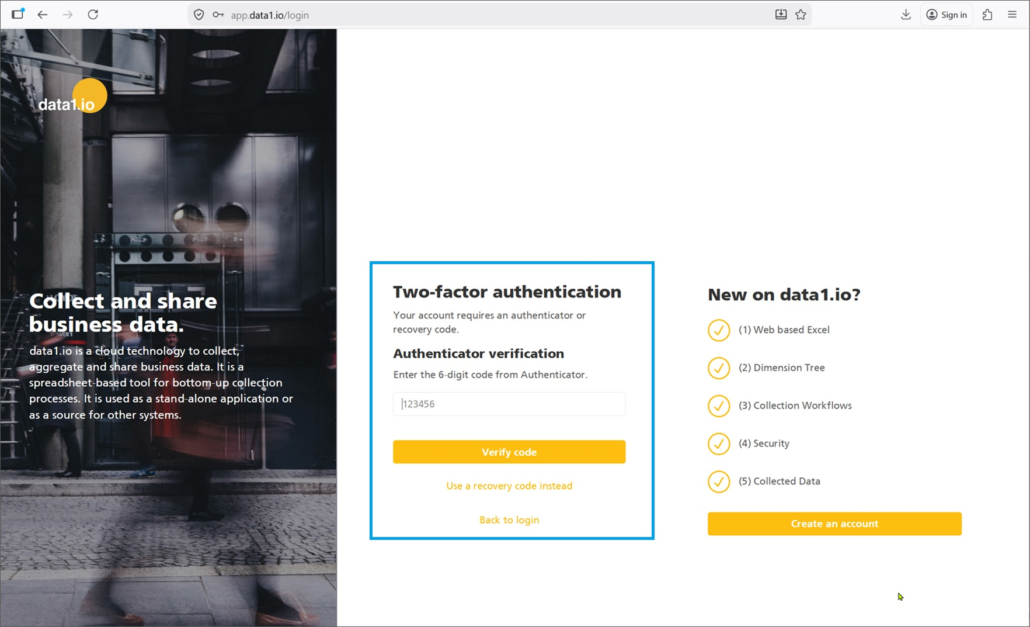
2-Factor-Authentication is forced if set to “Required“:
d) Tenant Security Policies – Multi-tenant scenarios
Please be aware, as a user you can be part of different workflows in several tenants. In this case, data1 determines your personal security rule which will fulfil all tenant policies you are involved in.
e) Tenant Security Policies – Recommendations
All existing tenants stay on their existing security level, no changes are done automatically. Therefore we recommend you as a tenant admin to check the policy settings in your tenant.
Please also be aware, that e.g. more stringent password rules will be in effect only after the next password change.If you want to have the rules in effect immediately, you must set the existing passwords to expire.
(2) Admin Center: New Workbook Folders
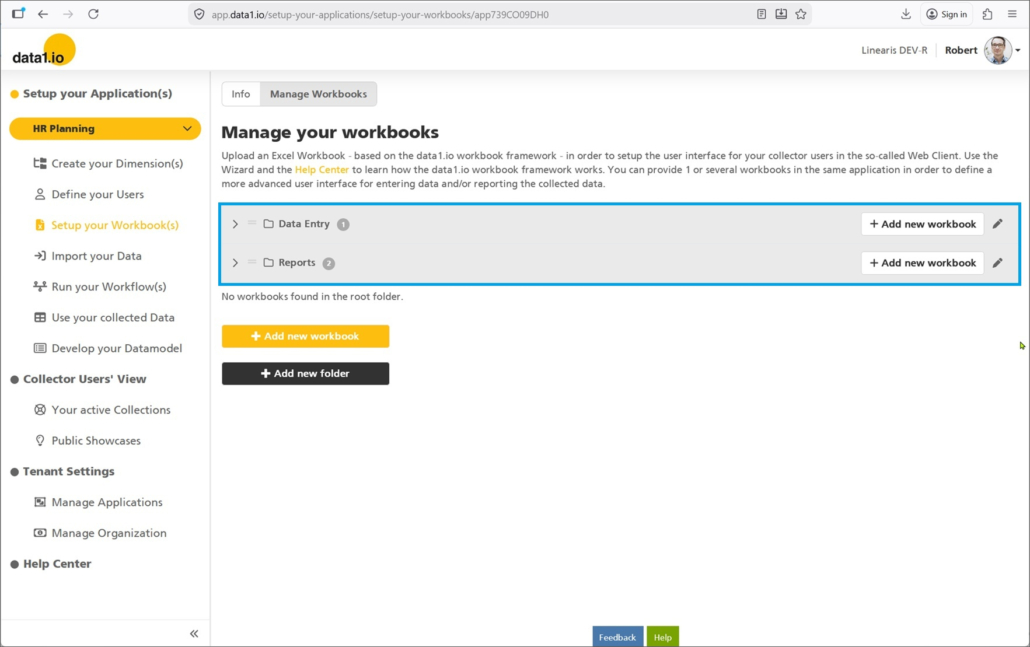
We saw that many of our users have not only 1 or 2 workbooks but a whole bunch of workbooks. With this release it is possible to organize your workbooks in folders!
Simply click on Add new folder …
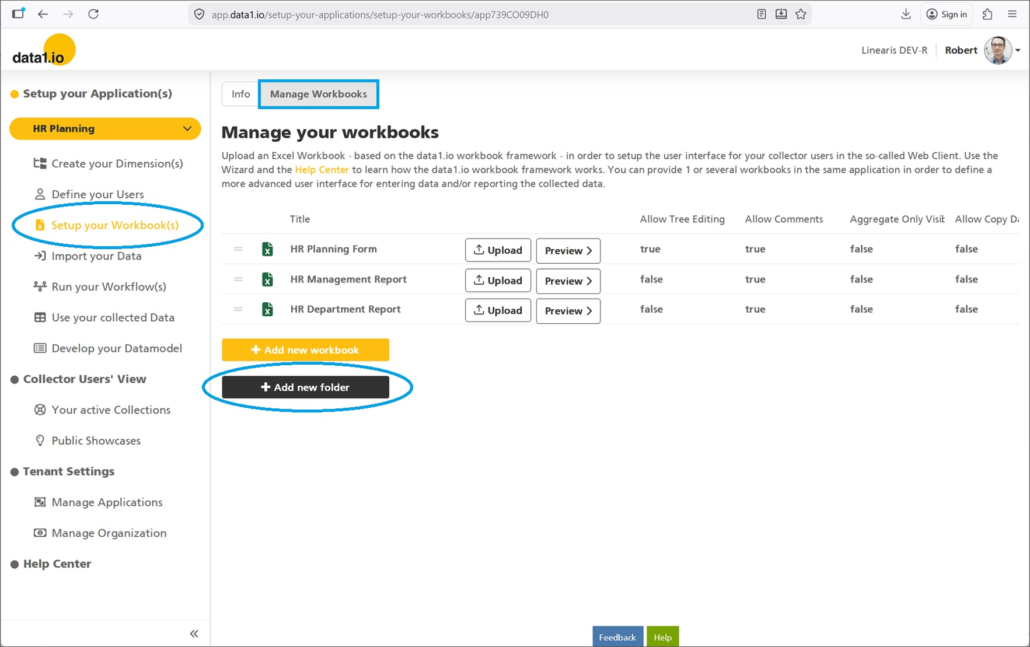
… enter the name for the new folder …
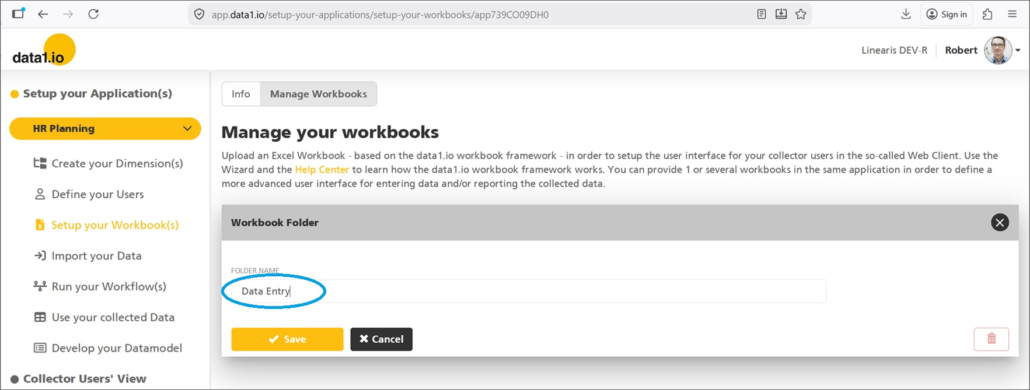
… and allocate your workbooks by drag & drop:
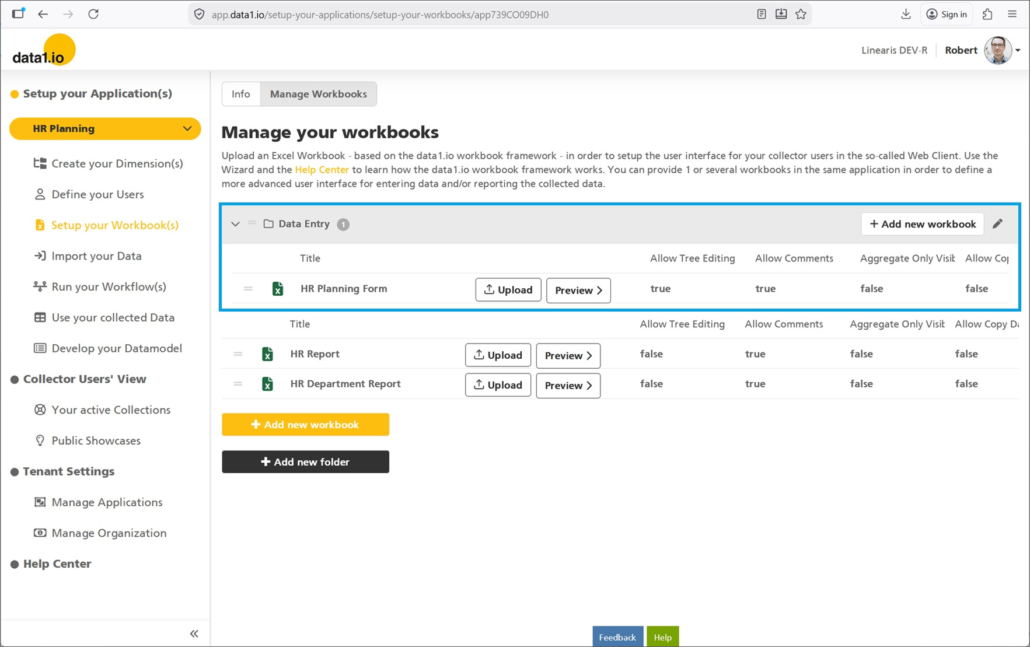
Create another folder …
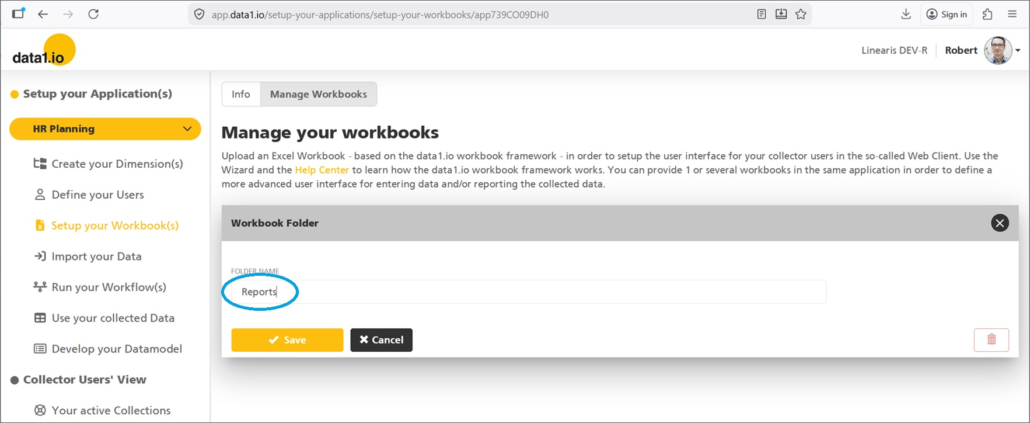
… and allocate the other workbooks:
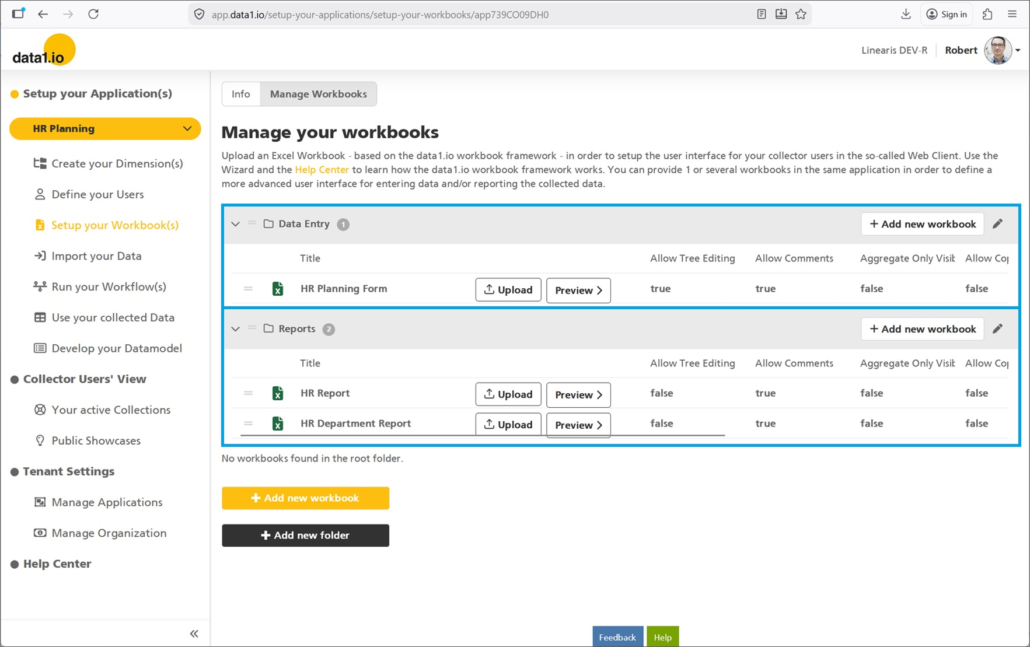
Sure the folders can be expanded and collapsed:
(4) Admin Center: Improved Multi-Tenant Screens
We have worked on the multi-tenant functionality of the Admin Center.
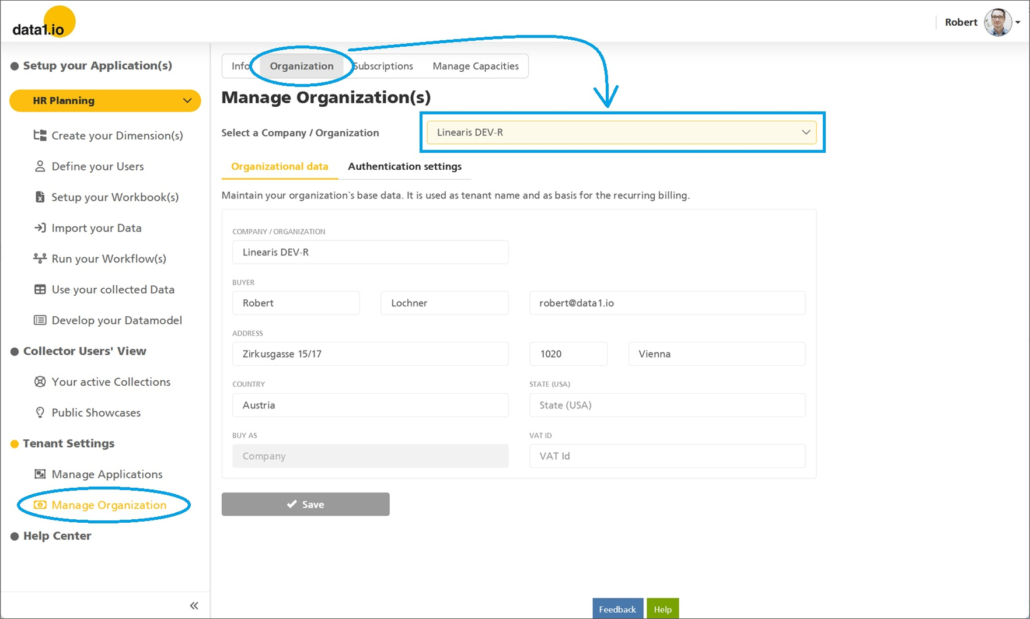
(a) Improved Organization Screen
Until now, the Organization screen could only show the first tenant. With this release you`ll find a dropdown which enables you to select the tenant:
(b) Improved Multi-tenant presentation
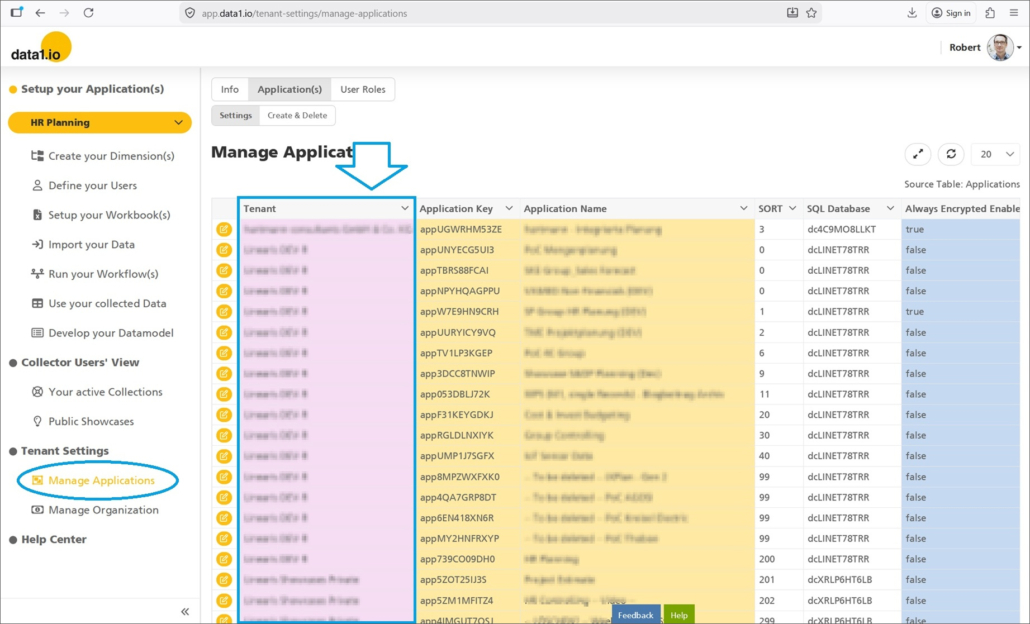
Until now, the tables in the Tenant Settings were not sorted intuitively. With this release we have sorted all tenant related tables and furthermore we colored the tenant column in all screens light purple:
(5) Admin Center: E-Mail Adress in User Dropdown
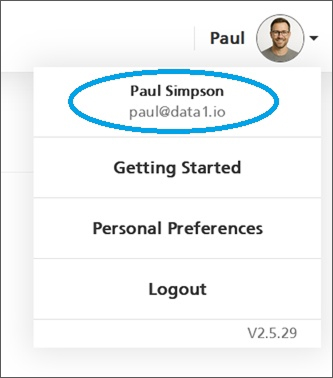
For users who have several accounts it is useful to see the active account directly in the user menu:
(6) Frontend: Improvements for Dynamic List Queries
Dynamic List Queries were introduced with the July 2025 Release and are still a preview feature.
This month we have solved an issue with long running dynamic list queries due to problems with the re-allocation of named ranges. Furthermore dynamic list queries are now also executed in the Workbook preview mode.
(7) Further Improvements
We have dramatically improved the load performance of the dimension tree table in the Admin Center.
Furthermore the load performance of the Landingpages for “Your active Collections” and the “Public Showcases” is much better now.
We have removed an error when creating a new application.
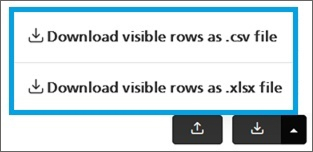
Until now, in all download dropdowns of the Admin Center the xlsx option was not shown although it is the default download option. To make this clear, we have added the xlsx option to the dropdown.
There were a few issues due to the .NET migration last month (user login, date values in the dimension tree, validation during upload, fact records which could not be edited, workflow e-mails could not be sent).
We hope you like the new features – we are very curious about your feedback!
Please let us know what you think about data1.io and what kind of planning and data collection processes you evaluate to automate.
we #StandWithUkraine


Leave a Reply
Want to join the discussion?Feel free to contribute!