Collect and share business data.
Stop copying Excel sheets and start using Excel in a new way!
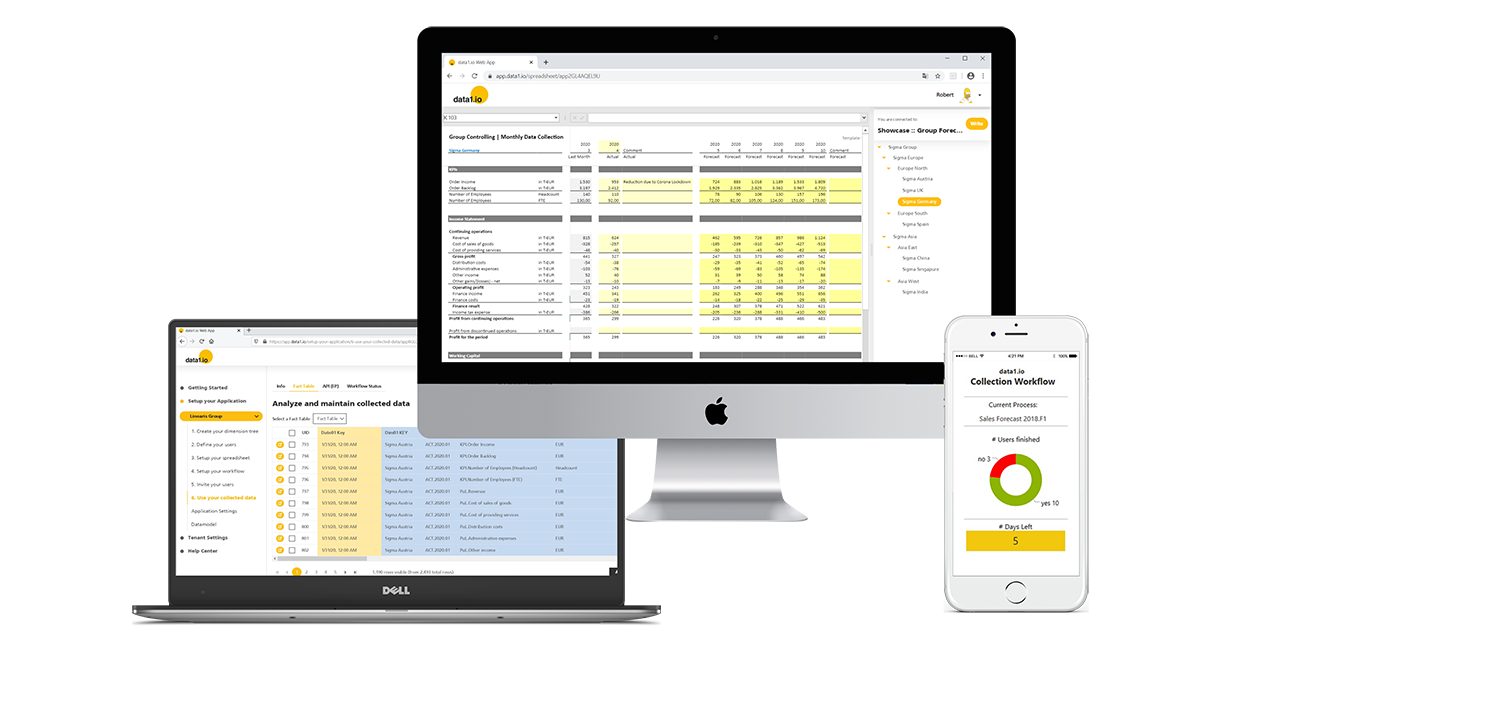

The data1.io cloud service is updated with 10 monthly releases per year and is therefore a very agile SaaS solution for your individual demands.
 https://data1.io/wp-content/uploads/2026/07/Release-Juliy-2026-Title.jpg
200
400
Robert Lochner
https://data1.io/wp-content/uploads/2021/06/data1.io_Logo_Black-Orange-184-x-300-300x184.png
Robert Lochner2026-07-31 09:11:402026-08-06 07:24:52Release July 2026 (before the summer break)
https://data1.io/wp-content/uploads/2026/07/Release-Juliy-2026-Title.jpg
200
400
Robert Lochner
https://data1.io/wp-content/uploads/2021/06/data1.io_Logo_Black-Orange-184-x-300-300x184.png
Robert Lochner2026-07-31 09:11:402026-08-06 07:24:52Release July 2026 (before the summer break) https://data1.io/wp-content/uploads/2026/06/June-2026-Release-1.jpg
200
400
Robert Lochner
https://data1.io/wp-content/uploads/2021/06/data1.io_Logo_Black-Orange-184-x-300-300x184.png
Robert Lochner2026-06-30 10:40:162026-06-30 13:00:23Release June 2026
https://data1.io/wp-content/uploads/2026/06/June-2026-Release-1.jpg
200
400
Robert Lochner
https://data1.io/wp-content/uploads/2021/06/data1.io_Logo_Black-Orange-184-x-300-300x184.png
Robert Lochner2026-06-30 10:40:162026-06-30 13:00:23Release June 2026 https://data1.io/wp-content/uploads/2026/05/May-2026-Release-Title.jpg
200
400
Robert Lochner
https://data1.io/wp-content/uploads/2021/06/data1.io_Logo_Black-Orange-184-x-300-300x184.png
Robert Lochner2026-05-28 23:49:322026-05-30 07:33:28Release May 2026
https://data1.io/wp-content/uploads/2026/05/May-2026-Release-Title.jpg
200
400
Robert Lochner
https://data1.io/wp-content/uploads/2021/06/data1.io_Logo_Black-Orange-184-x-300-300x184.png
Robert Lochner2026-05-28 23:49:322026-05-30 07:33:28Release May 2026Normal Excel files are enriched with the data1.io framework to so-called Workbooks. After uploading the workbook into your application your collector users can use it immediately as Web Client for their data entry. The data1.io framework enables a bidirectional connection between the spreadsheet and the cloud service. Every application gets its own, individualized workbook file(s). Workbooks are available for our public showcases and can be created individually either with the workbook wizard or manually from scratch. Programmed in Angular, the Web Client is hosted in the Microsoft Azure Cloud.
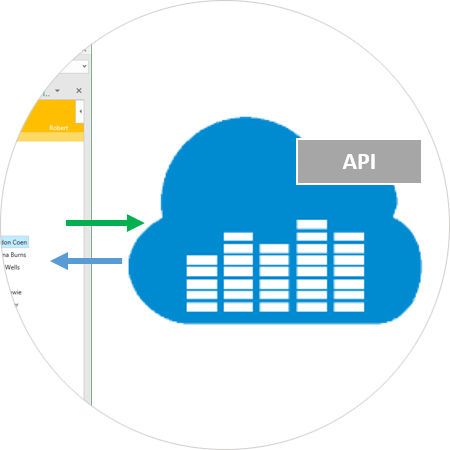
The heart and brain of the data1.io system. In writing mode it transforms the collected data from the Excel Web Client into records and stores them into your indiviual data1.io application database. In reading mode, the cloud service extracts and aggregates the records for delivery to the Excel Web Client and/or the Web App. The cloud service also contains the API which provides all your data as a secure ODATA feed for your receiving applications like Power BI, MS Excel, your ERP system, your enterprise budgeting and consolidation solution and to every system that can connect to ODATA feeds. The Cloud Service is hosted in the Microsoft Azure Cloud.
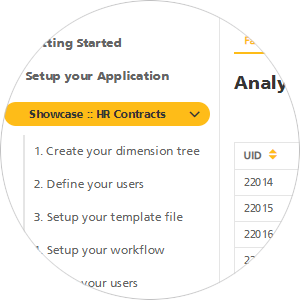
The Web App is the browser-based configuration tool for you as a Power User in order to setup your individual application(s), start and steer the data collection workflow(s) and extract the collected data from there. You can apply now for your FREE application in order to start your first data collection today! Programmed in Angular, it is hosted in the Microsoft Azure Cloud.
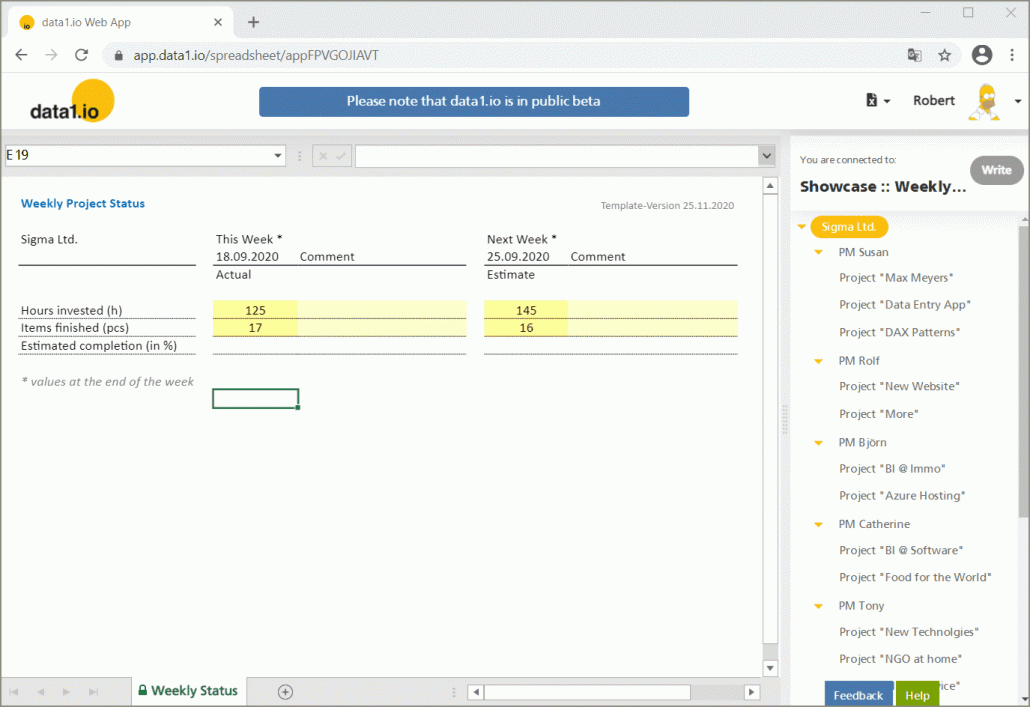
Collect weekly project actuals and the estimate for the next week.
A very simple but effective showcase with only 3 KPIs (hours invested, items finished, estimated completion) with one non-additive KPI.
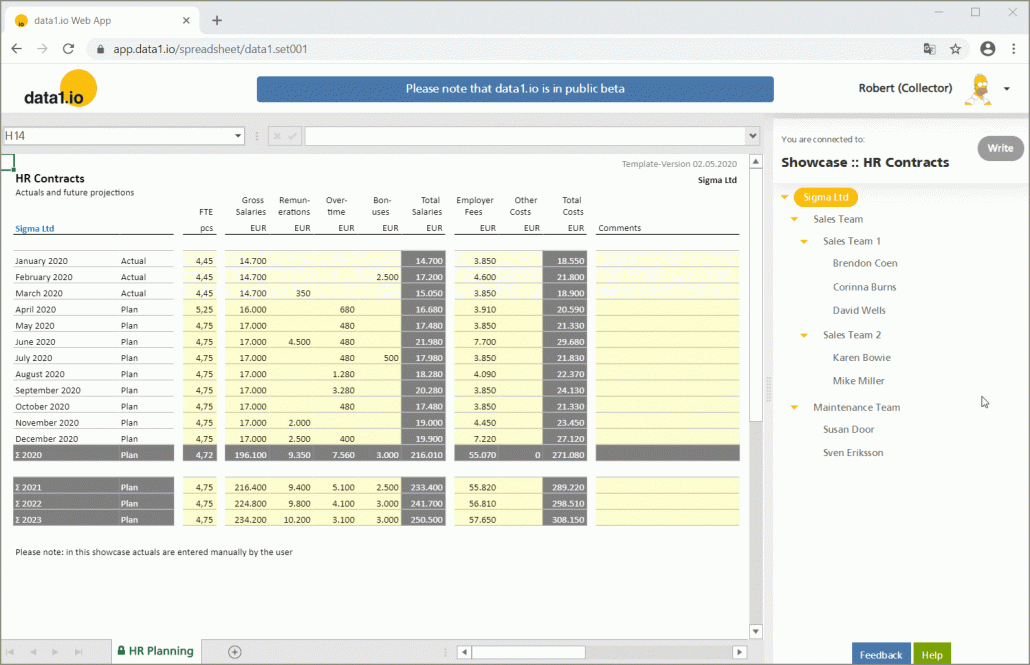
Collect detailled financial projections of your employees’ contracts.
Financial projections of employee´s contracts on a monthly basis based on actuals from your operational HR payroll system (entered manually).
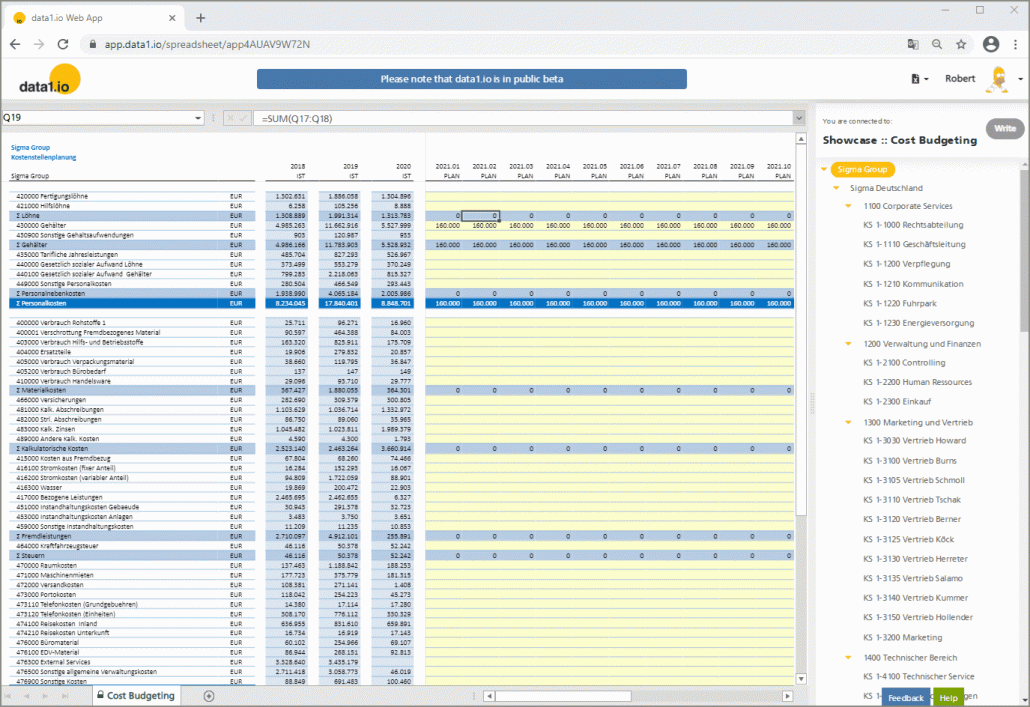
Collect cost and invest budgets from departments including KPIs like number of employees, areas etc.
A showcase with dynamic rows (= only rows with actuals are shown) and yearly aggregation of imported actuals (~ 30.000 records). Furthermore with a “dual” dimension tree (two parallel branches) and a dynamic switch for the active data entry sheet. Showcase in german language.

Collect monthly forecasts from your sales team.
Decentralized monthly forecast per revenue type and per sales representative based on actuals imported (via the API) from your operational ERP-/CRM system.
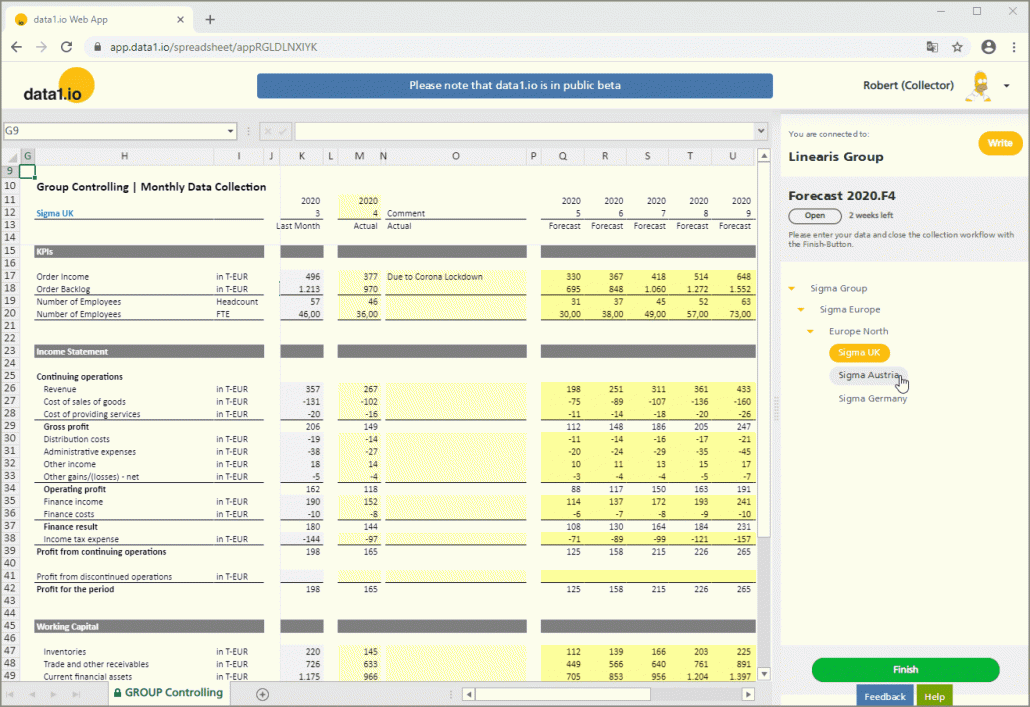
Collect monthly financial statements and rolling forecasts from your subsidiaries.
Collection of monthly actuals including a rolling 6 month forecast. Actuals from last month are displayed read-only.
data1.io is mainly used, if an Excel interface is needed, if the process is bottom-up, recurring and has many users and if other systems are too expensive.
MS Excel® is one of the most popular applications in the world. data1.io uses existing Excel files and connects them bi-directional with your application in the cloud. The dimension tree brings a third dimension to Excel and lets you “switch” your sheets through your organizational units.
New data is collected using the write function which sends the data from the Excel Web Client to your application in the cloud. Existing data is displayed using the read function which fetches the data from your application in the cloud to your Workbook in the Web Client just by double-clicking the dimension tree. Double-clicking a bottom element of the dimension tree retrieves the data from that element, double-clicking a sum-level element triggers the aggregation of the values from the elements below. This is real-time aggregation. No parameter configuration needed, no waiting for report rendering or downloading report files.
As an organizer you define the collection workflow(s). That means you set the time frame the application is open for data entry and you define the users who are part of this data collection (“Access control”). The application is closed automatically for all collector users after reaching the closing date of a collection process.
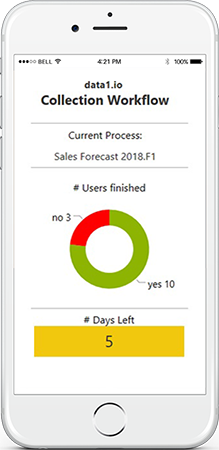
Your collector users automatically get invited and reminded via workflow e-mails as long as they did not deliver their data. Every collector user can close his/her individual collection task by clicking the FINISH button after entering all relevant data. Track the collection progress and handle your „black sheeps“.
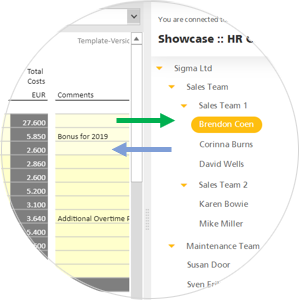
Within the application the dimension tree brings multi-user security into Excel. As an organizer you can restrict access of a single user to defined organizational elements in the dimension tree (“Row Level Security”).
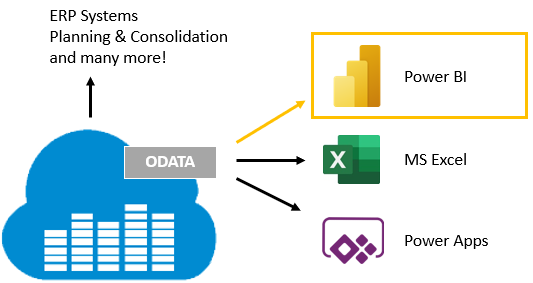
data1.io is designed with an open data architecture – i.e. it is easy for you as the owner of the data to use your collected data in other systems. The data1.io cloud service provides a modern ODATA feed which makes it easy to connect data1.io with other systems like Microsoft Power BI, MS Excel, Power Apps as well as ERP Systems and other Business Intelligence applications. Of course, alternatively all data can be exported to traditional csv files as well.
data1.io and Power BI – better together! We recommend to use data1.io together with Power BI since data1.io has its focus on data collection (and not reporting) and Power BI is a great dashboarding service which makes it easy to combine different data sources within the same dashboard application.
data1.io automatizes typically excel-based data collection processes on a daily/weekly/monthly basis, therefore data1.io is used by companies and public institutions
Register now and test the public showcases immediately! Furthermore you have the option to create your own data1.io application which enables you to setup your individual data collection process inside or outside your organization. Please let us know your feedback!
Sign up to our monthly community newsletter and get all the news about the latest monthly release!