

Release January 2026
We are back with the brandnew January 2026 Release with the new Import/Upload area and the new Admin Center navigation! Try it now!
Remember, the Frontend is the user friendly spreadsheet for your Collector Users to deliver their monthly/weekly/daily data. The Admin Center is the tool for the Power User to setup and control your organization’s collection workflows.
(1) Admin Center: New area “Import / Upload your data”
Until now, actuals and other reference data had to be uploaded directly into the fact table. Now you can use additionally the new menu item “Import / Upload” which was designed especially for importing / uploading actuals.
Please be aware that this new screen shows only new uploads either here or in the fact table – formerly imported / uploaded actuals cannot be shown here. You can download and delete your existing actuals from the fact table and upload it once in this new area.
a. New menu item “Import / Upload”
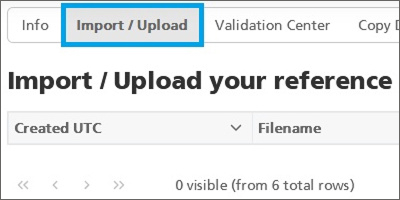
In the main menu you`ll find now the new entry “Prepare your Data” with the new “Import / Upload” area:
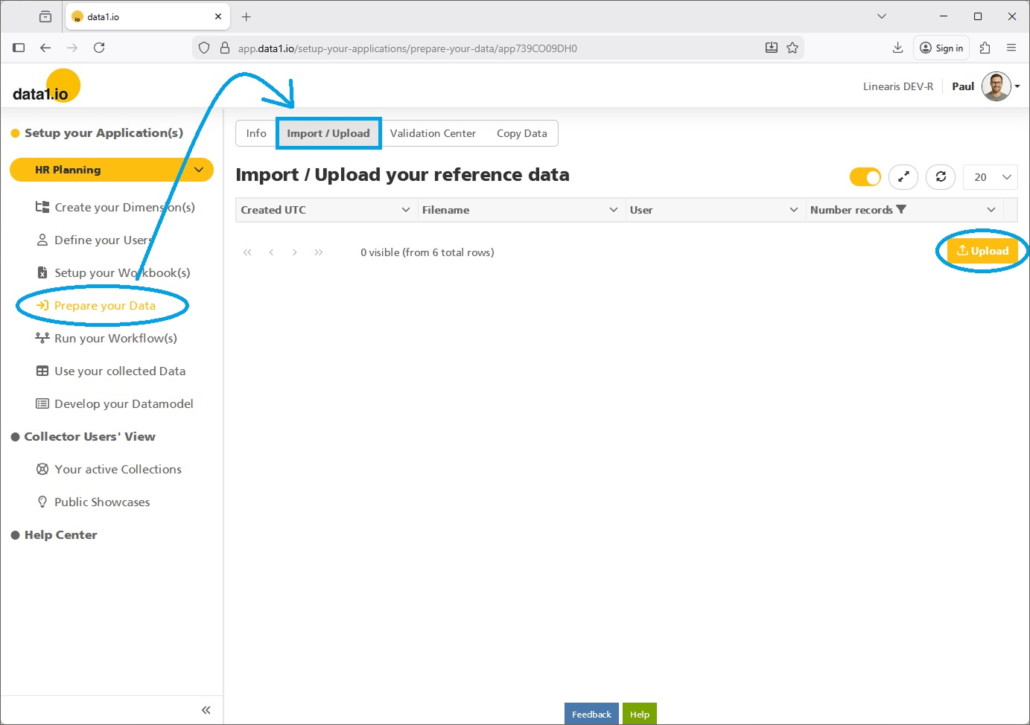
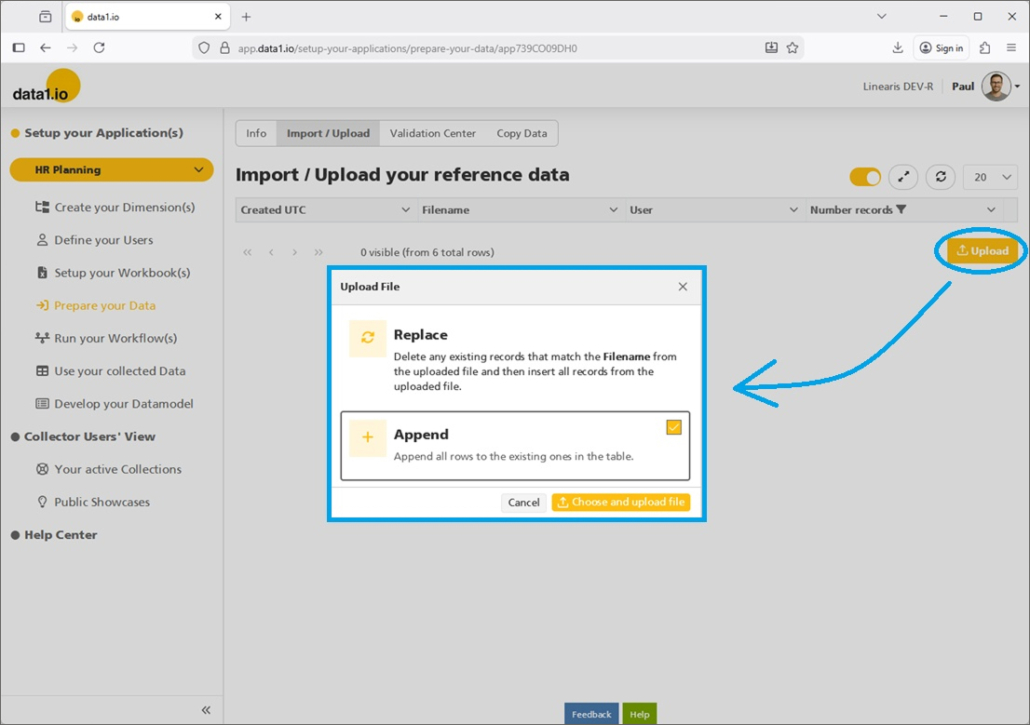
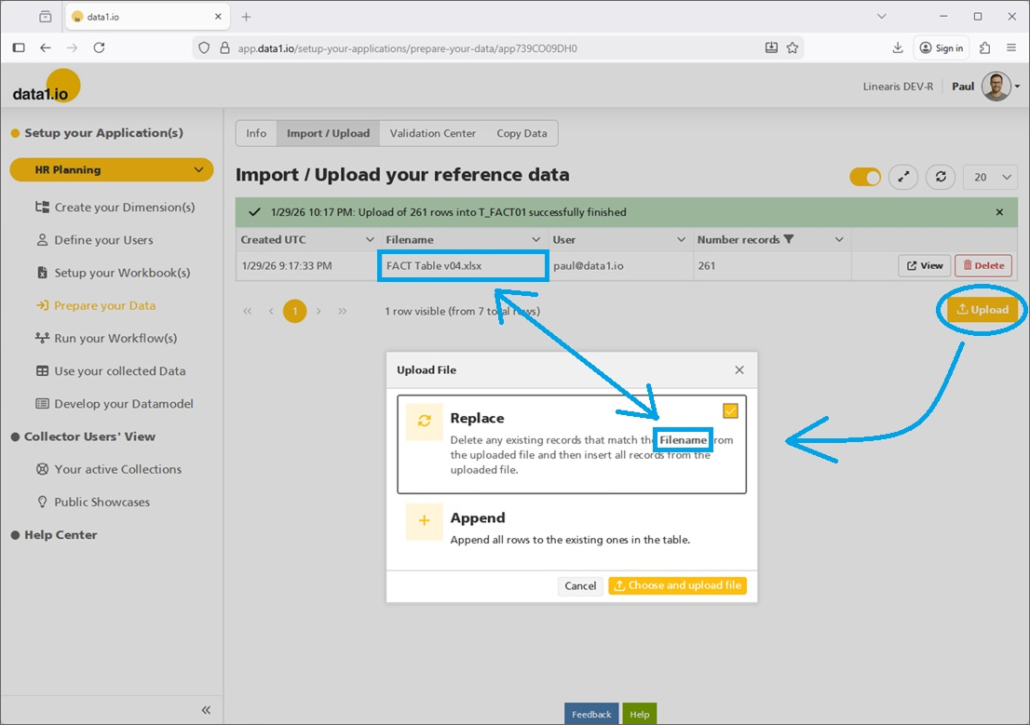
Pressing the “Upload” Button will open the already from the fact table known dialog with the selection Replace or Append mode:
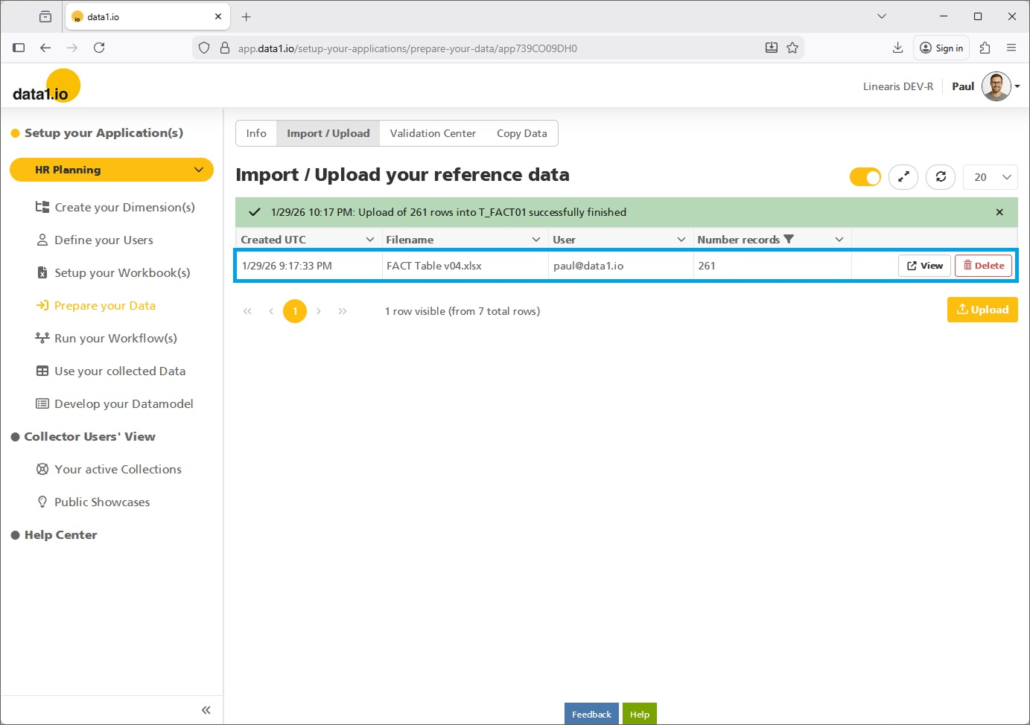
The uploaded data are not shown in detail but as aggregated “upload records“:
b. View and Delete Records
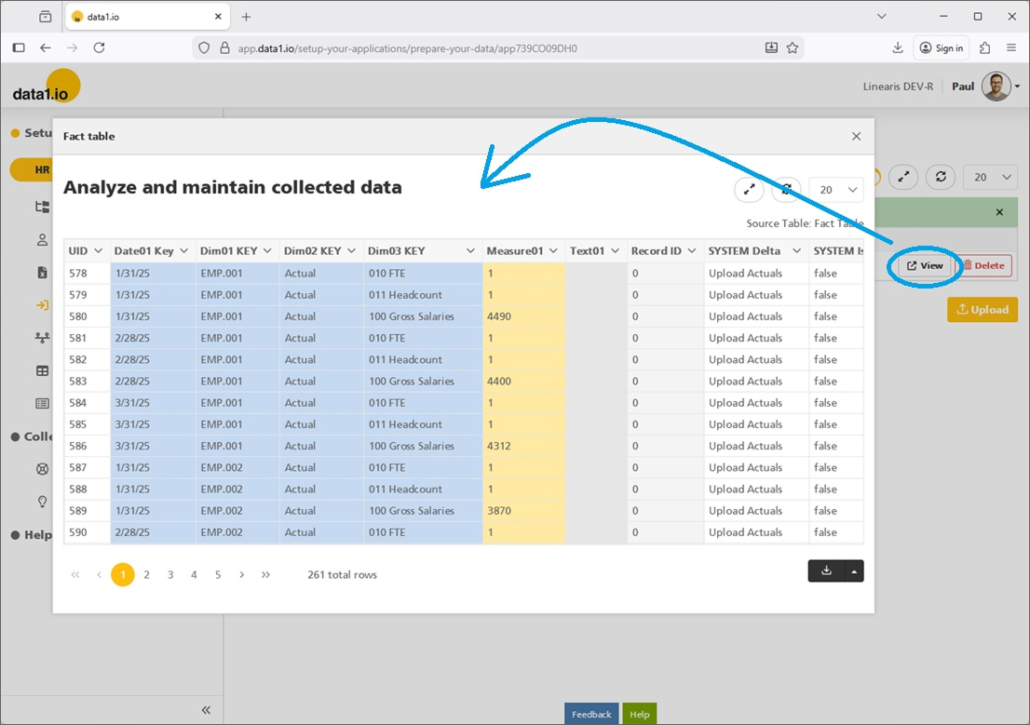
The detailled records behind an “upload record” can be analyzed with the “View” button:
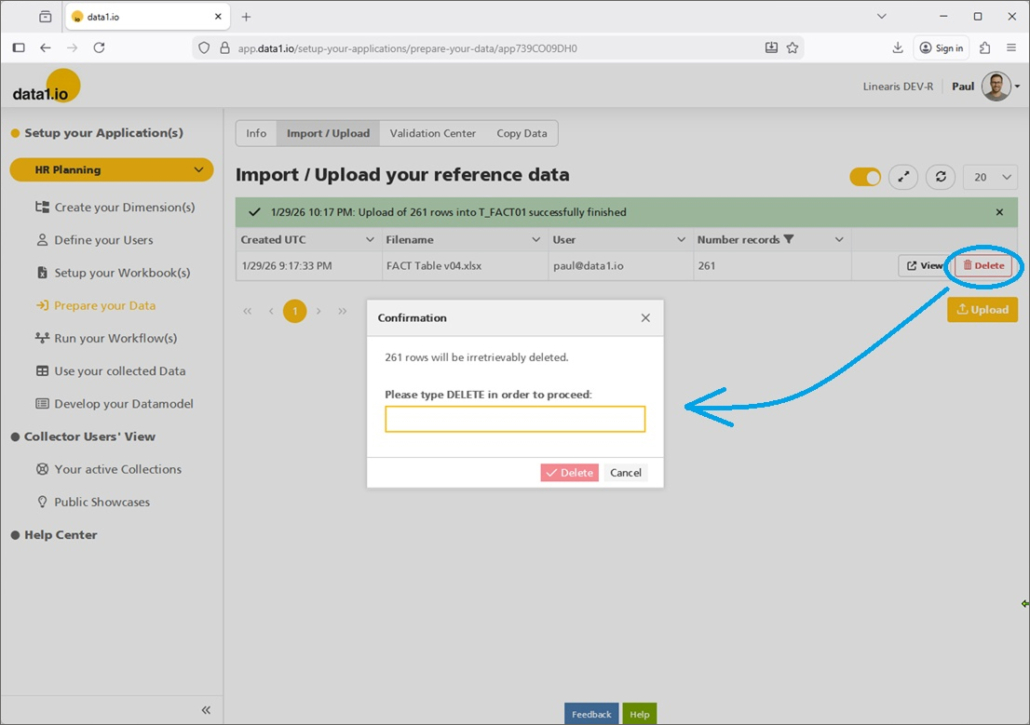
We guess that the new “Delete” button can be very useful for many of you since you can delete accurate all the records from one upload batch:
c. New Replace Mode
Please be aware that we have changed the Replace mode. Until now, this replace mode referred to the field “SYS_Delta”. This was in many cases not useful – therefore we have changed the criteria for the replacement to the name of the uploaded file:
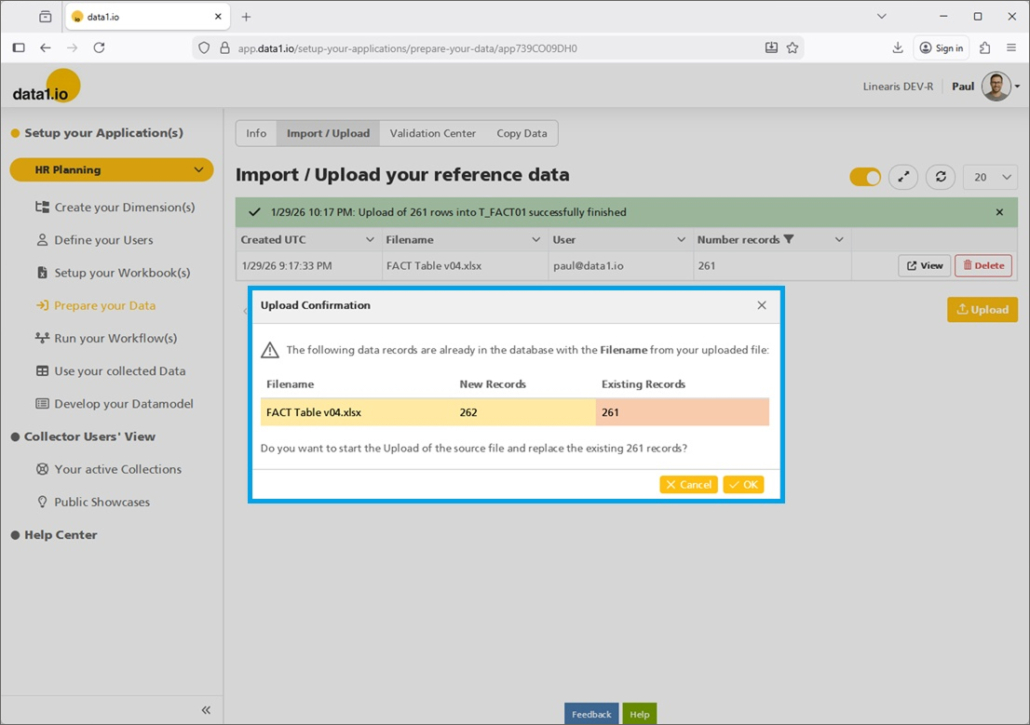
Before you execute the import with the replacement you`ll get an preview where you can check if this is plausible:
d. New column in Fact Table
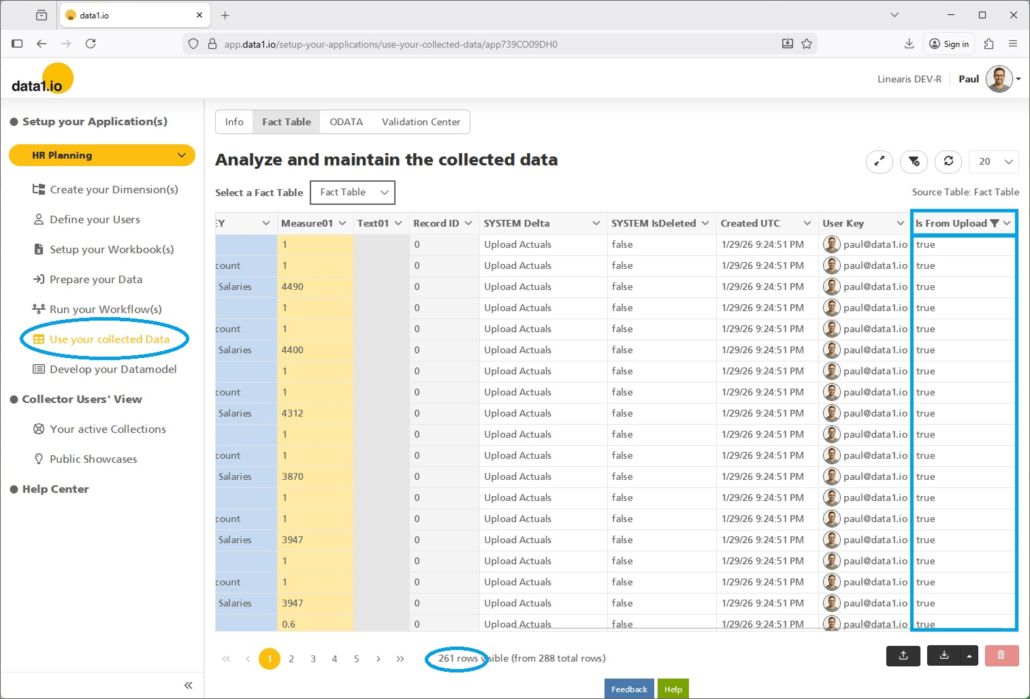
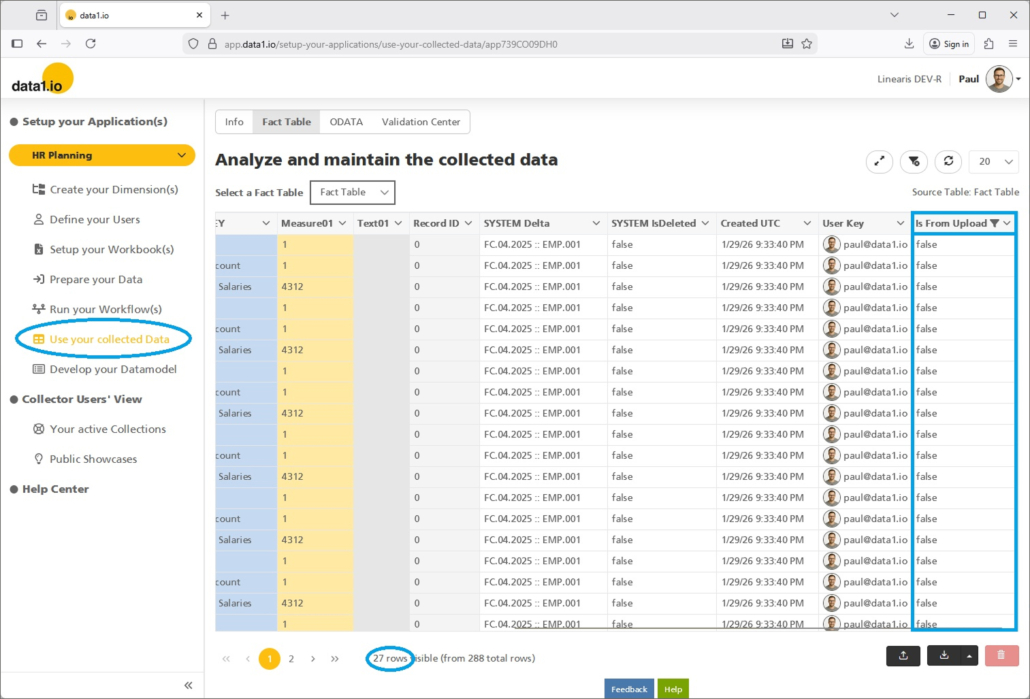
We have added a new column “Is From Upload” to the Fact Table. With this column you can filter exactly the records that you see in the new screen “Import / Upload” …
… and also vice versa the records which were written back from the frontend:
(2) Admin Center: Adopted main menu structure
We have changed the main menu structure …
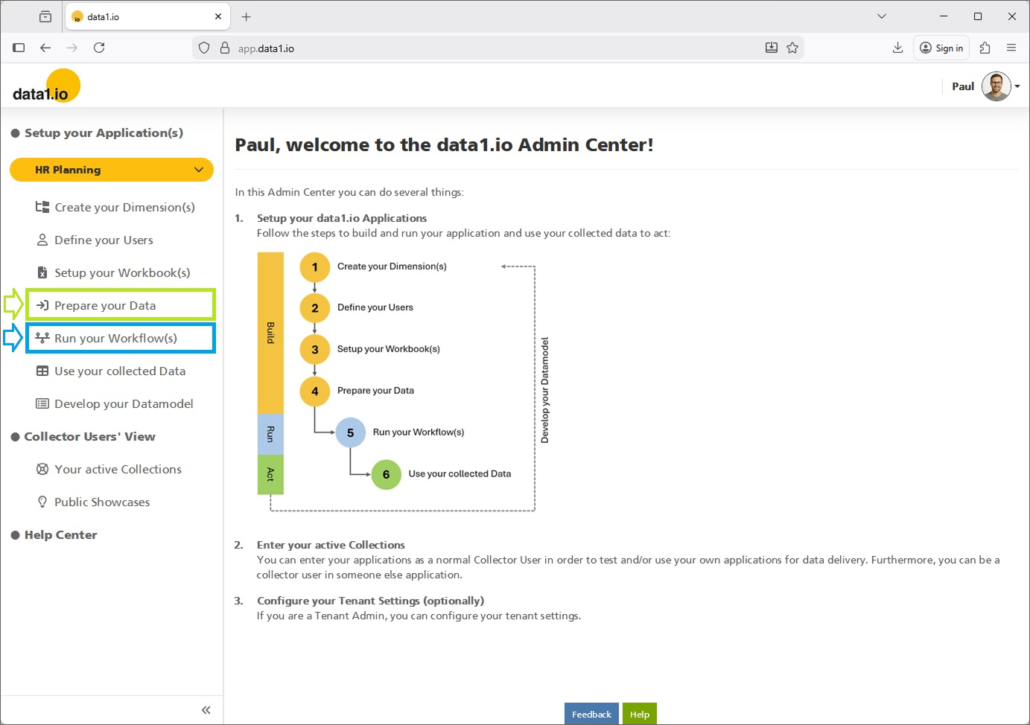
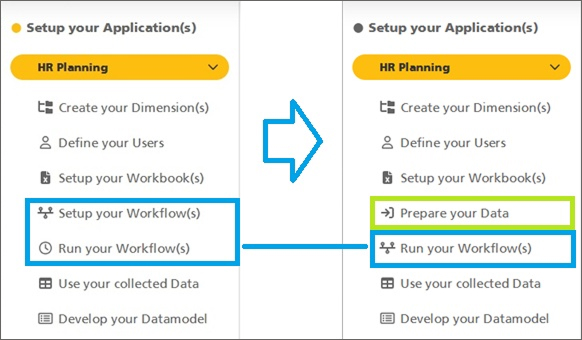
… by adding the new item “Prepare your data” and the new combined item “Run your Workflow(s)”
(3) Admin Center: New horicontal navigation
We have redesigned the horicontal navigation in the Admin Center with a second level.
a. New horicontal navigation
We have changed the layout and usability of the horicontal navigation …
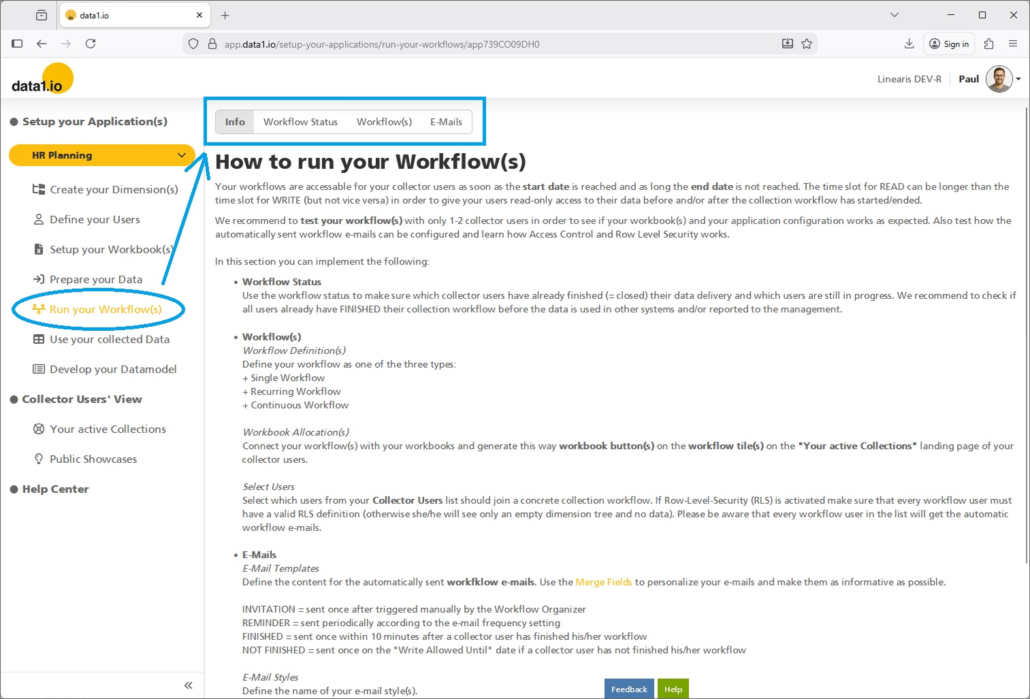
… and we have added an optional second level to the horicontal navigation:
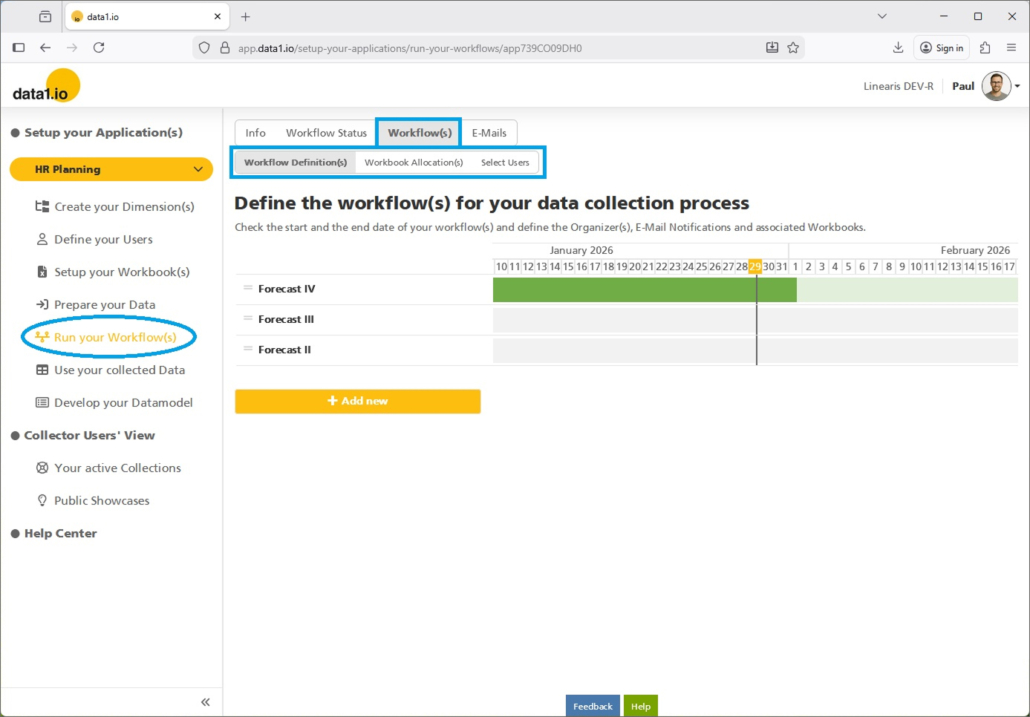
c. Adopted “Run your Workflow(s)” menu
This is the new menu structure in the new combined “Run your Workflow(s)” main item:
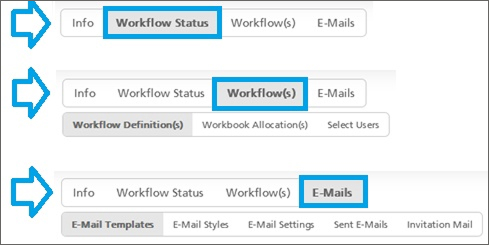
You can compare it with the old navigation structure:

b. Adopted “Use your collected Data” menu
We have moved the item “Copy Data” to the new main item “Prepare your data”.
(4) Discontinued Excel Add-In
In the January 2020 Release have launched the current Frontend which was called then “Web Client” and it took us only about 1 year to reach production readiness. Until then the “Excel Client” – which was an Javascript Add-In – was the major frontend for the collector users. We have stopped investements in this Excel Client years ago since we realized that we could not reach our strategic goals with this client.
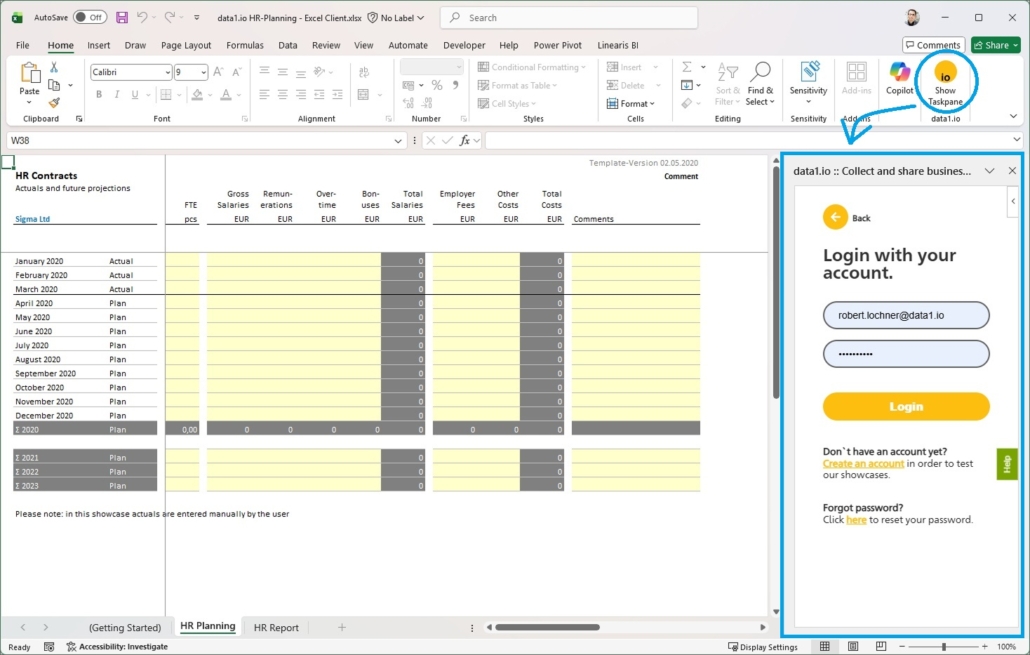
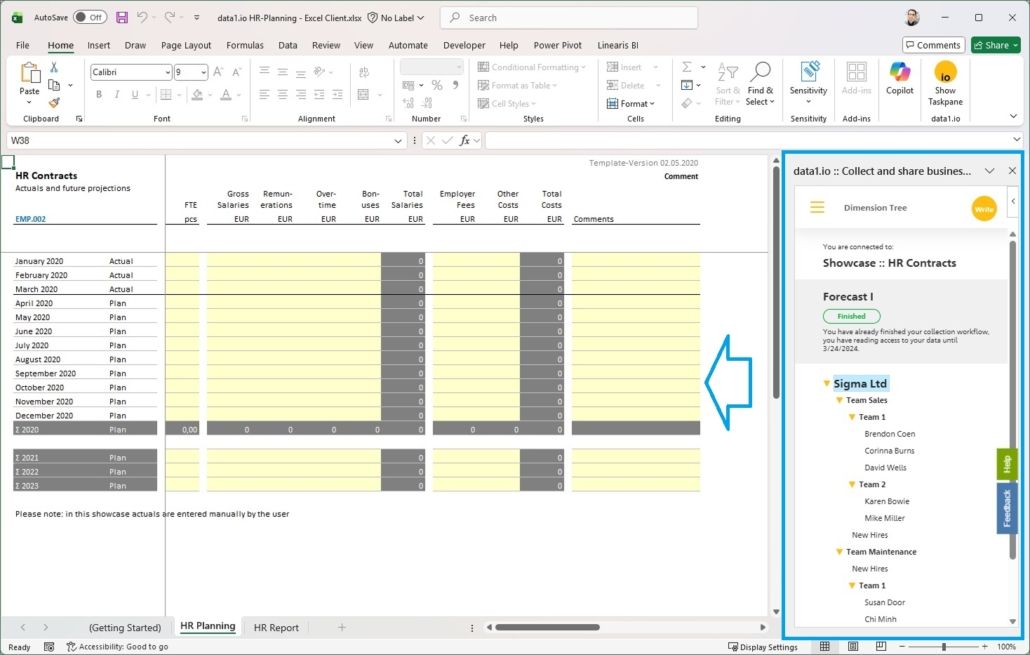
In order to streamline the data1.io ecosystem, we retire now this Excel Add-In and removed it from the Office Store:
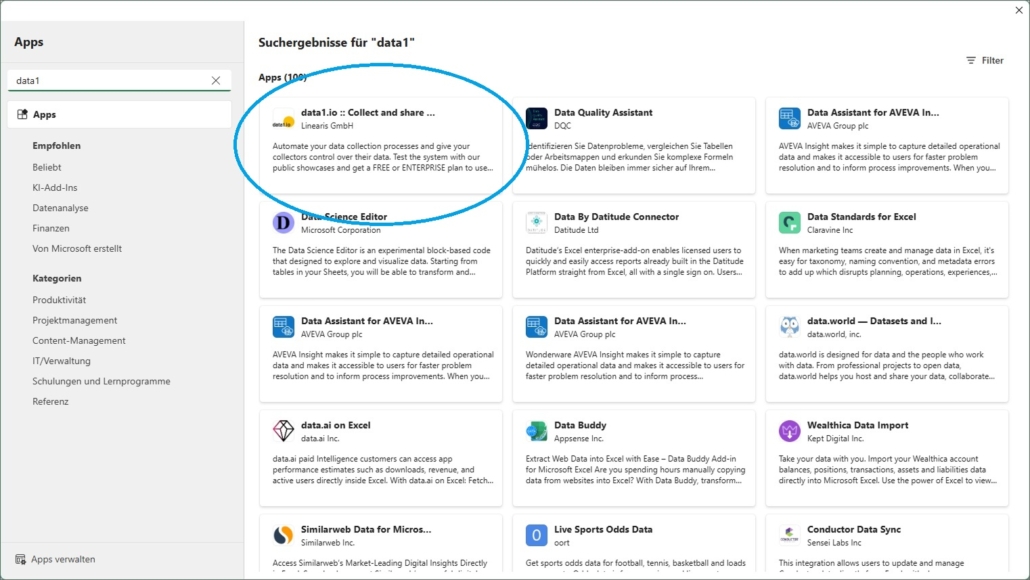
Just for nostalgic reasons let me show some last screenshots from the login screen …
… and from the dimension tree:
(5) Further Improvements
There was an issue with the logging of capacity changes if the change took longer than 12.5 minutes.
There was an issue with the Finish Workflow button if the collector organizer is not part of the “Define your users” table.
We hope you like the new features – we are very curious about your feedback!
Please let us know what you think about data1.io and what kind of planning and data collection processes you evaluate to automate.
we #StandWithUkraine


Leave a Reply
Want to join the discussion?Feel free to contribute!