

Release June 2026
We are happy to deliver the brandnew June 2026 Release with the new data operations for better planning automation! Try it now!
Remember, the Frontend is the user friendly spreadsheet for your Collector Users to deliver their monthly/weekly/daily data. The Admin Center is the tool for the Power User to setup and control your organization’s collection workflows.
(1) Admin Center: New Data Operations
We have extended the functionality of the existing “Copy Data” Jobs to the new “Transform” and “Delete” Jobs. With these new data operation types you can automate your data preparation processes in a much wider range than before.
a. New Transform Jobs
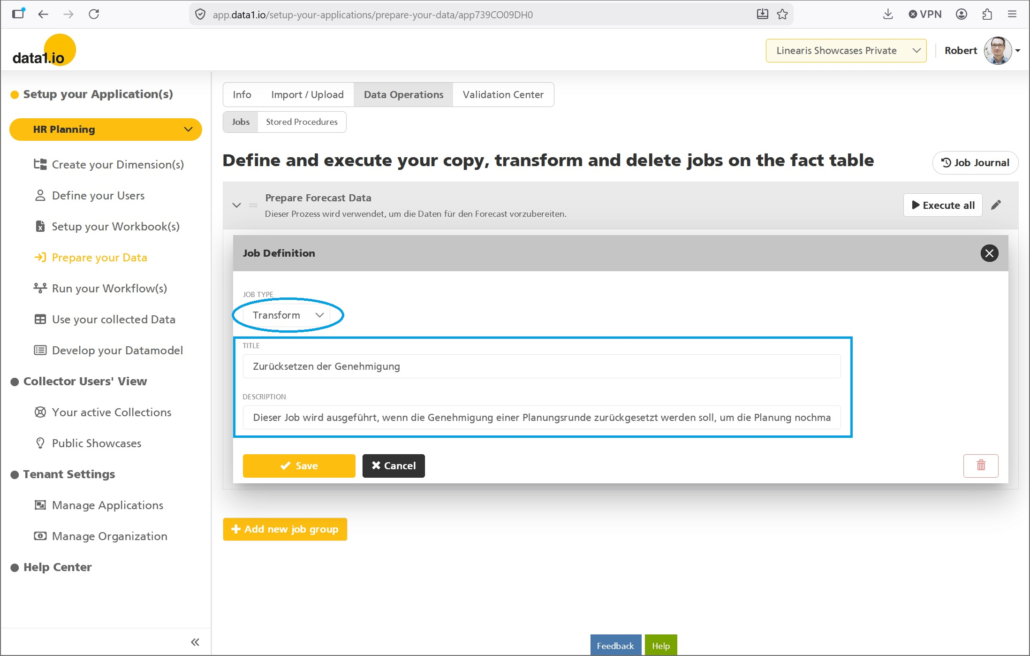
You`ll find a new dropdown in the definition dialog for jobs with the new type “Transform” …
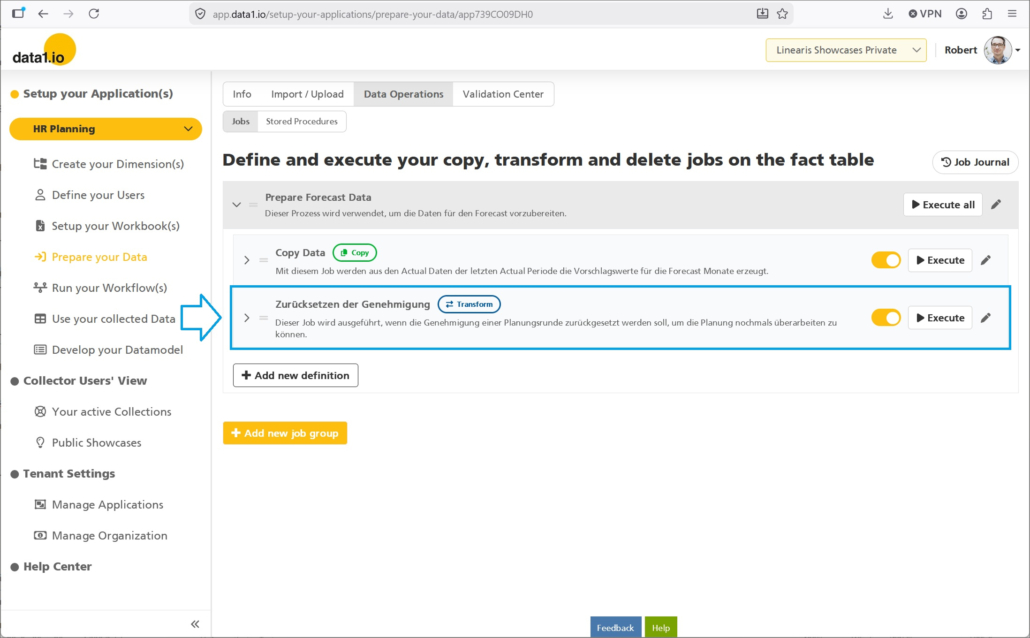
… and this type is shown with a prominent label in the job bar:
b. New Delete Jobs
Furthermore you can define now also “Delete” jobs …
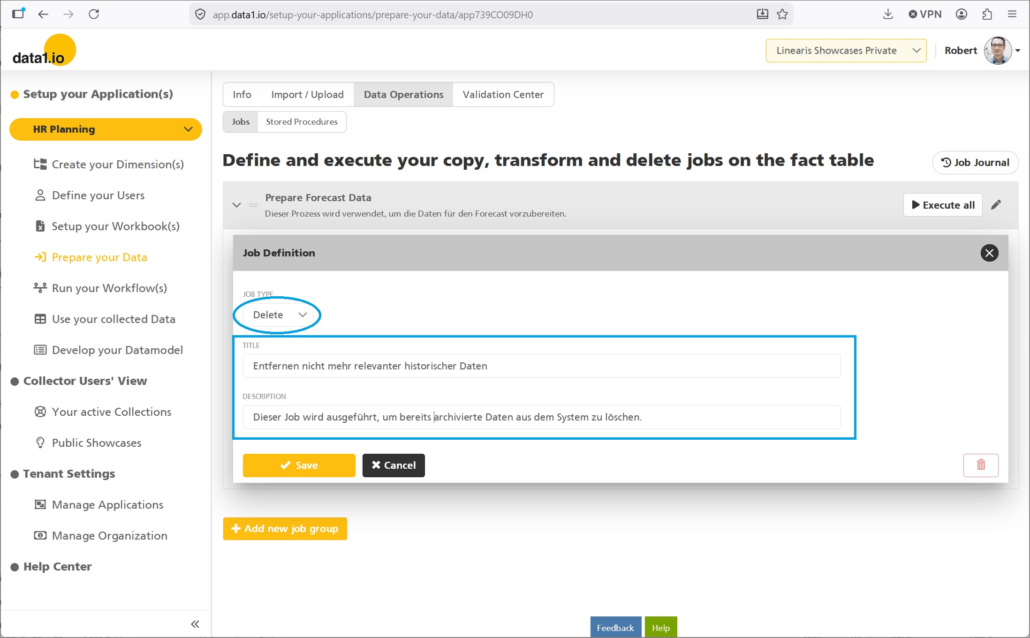
… and since this of course a delicate process it is shown with a red label:
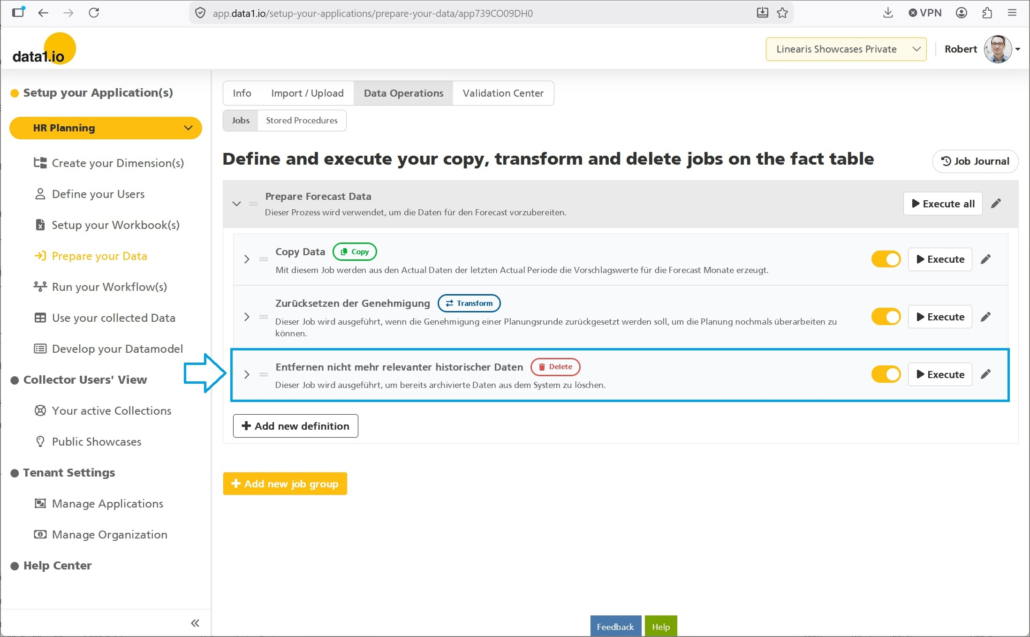
c. New Job Properties
We have two new job properties
- Activation Slider
By activating the slider, the job is executable and will be also executed when running the superordinate job group - Description
This is very helpful to add information, when this process should be executed, which preconditions should be checked and so on …
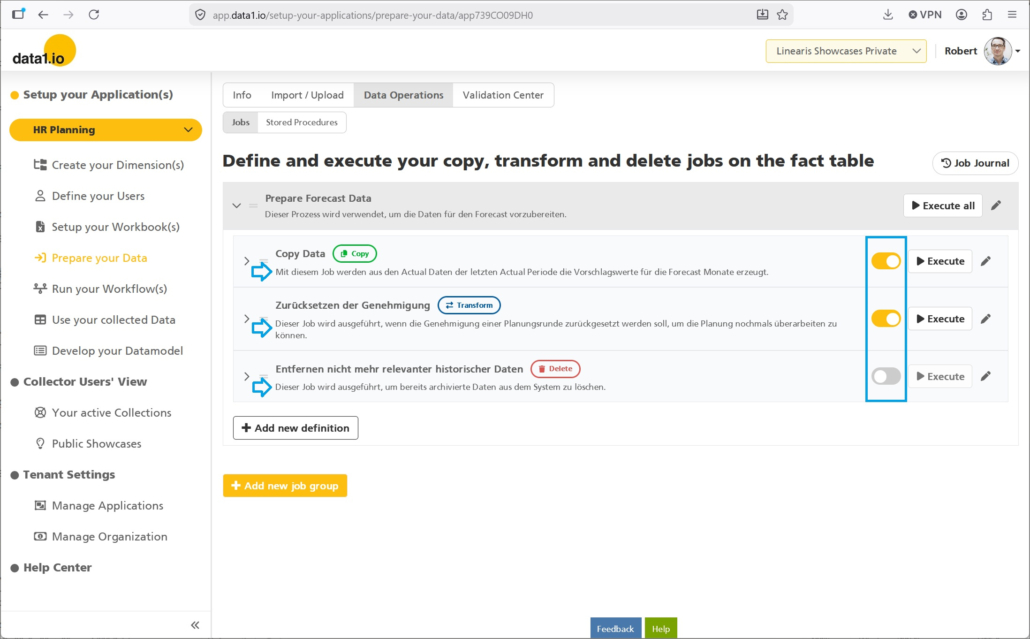
d. New Menu Structure
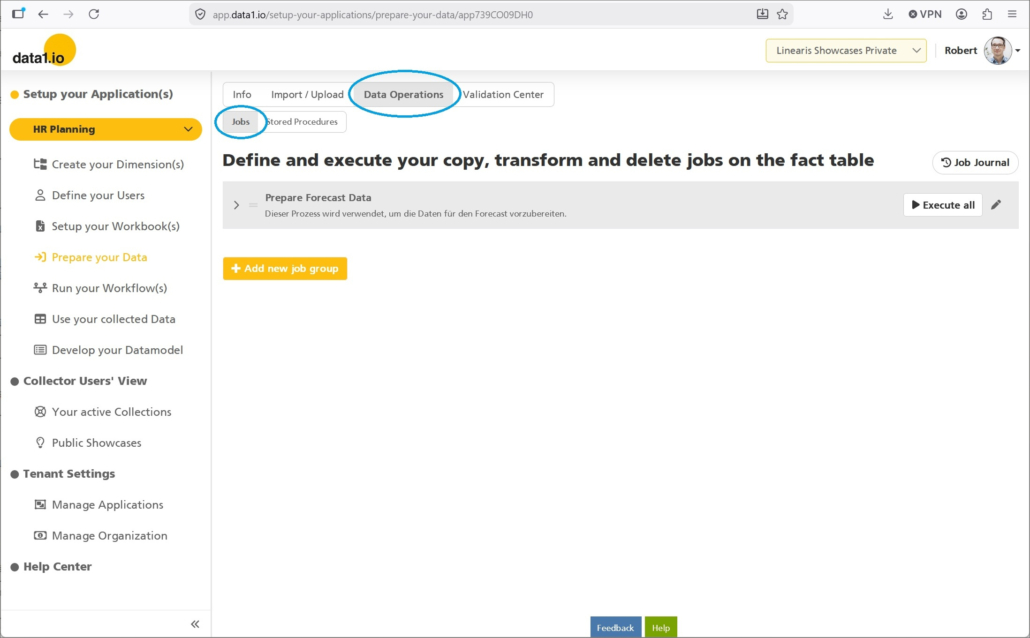
Since the functionality extended from “copy only” to “copy, transform and delete” we have also renamed the menu structure to include the new types of operations:
(2) Frontend: Improved Aggregated Hierarchies
a. Asymmetric (= unbalanced) Hierarchies
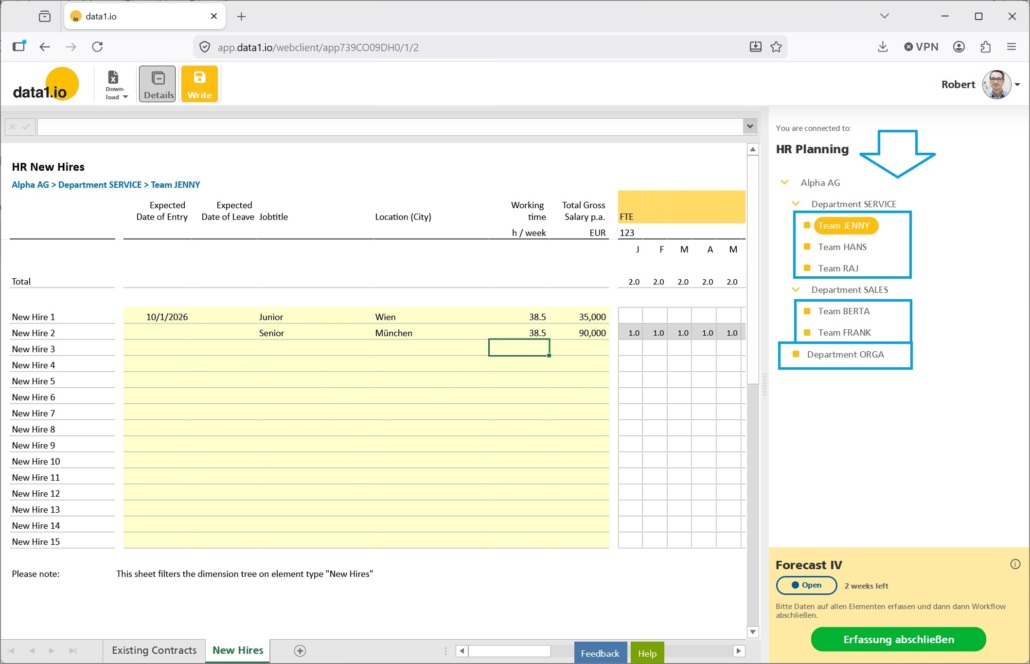
We have introduced “Aggregated Hierarchies” in May 2025 Release. Until now aggregated hierarchies had to be defined symmetric (= balanced) hierarchies. With this release you can use asymmetric (= unbalanced) hierarchies as aggregated hierarchies. This is a major improvement and enables many more new fields of application for top level planning and reporting.
As an example this asymmetric hierarchy …
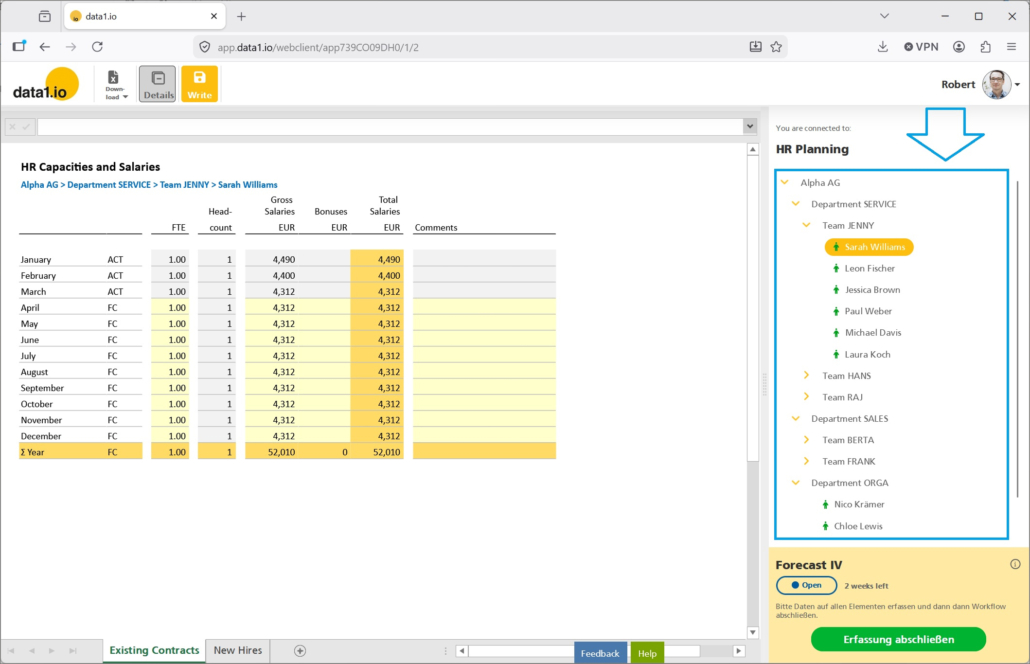
… can now be used also as an aggregated (parallel) hierarchy with asymmetric structure:
b. New Parameter Value
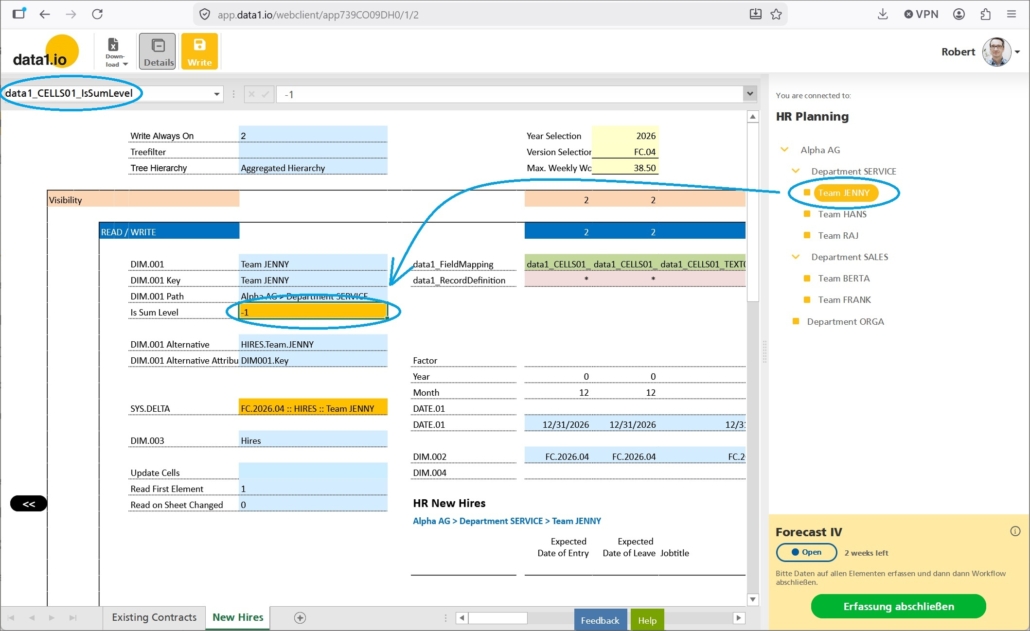
Until now, the bottom level in such an aggregated hierarchy had to be determined with turnarounds. With this release we make the definition of the workbook in such scenarios much easier by extending the functionality of the existing “data1_CELLSXX_IsSumLevel” parameter:
- -1 = bottom level element in an aggregated hierarchy = NEW
- 0 = bottom level element
- 1 = sum level element
(3) Admin Center: Improved User Interface
a. New Tenant Selection
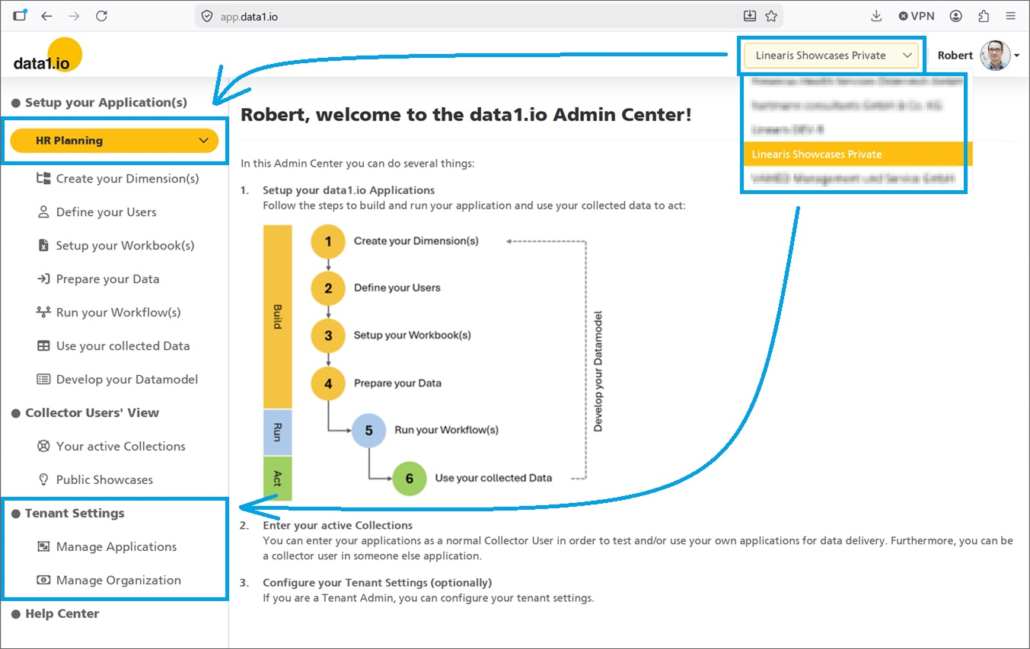
If you are a tenant admin in more than 1 tenant (“multi-tenant view“) then we have improved the structure of your user interface with the new release massively. From now on, the tenant text box in the menu bar will change to a tenant dropdown where you select the tenant you want to work with.
Therefore the application dropdown will show only the applications of the selected tenant:
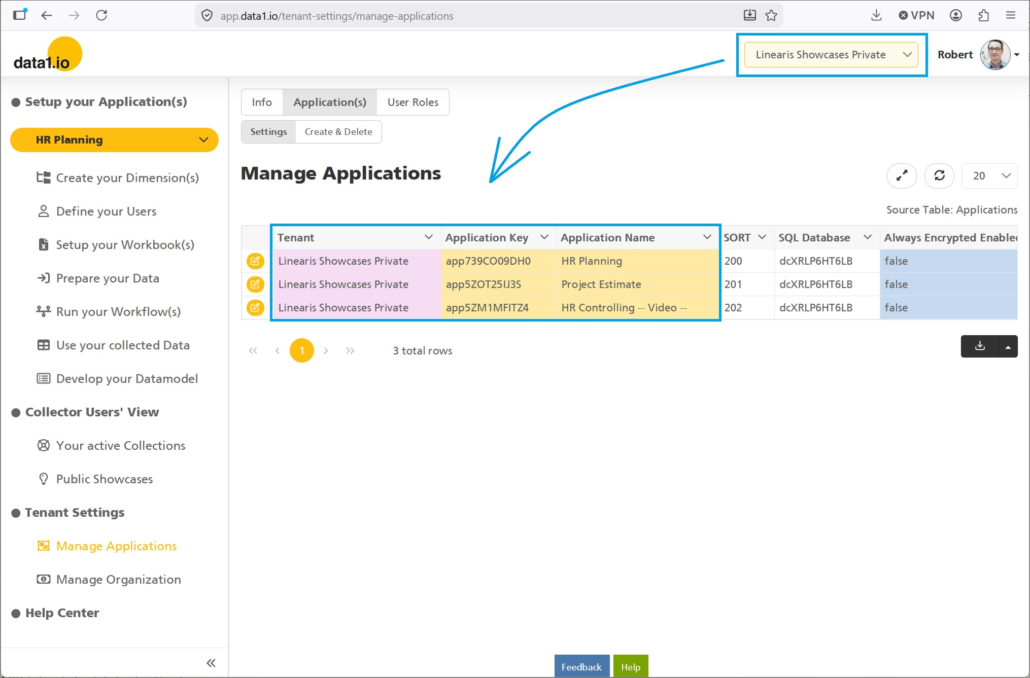
Furthermore all the tables in the Tenant Settings will show information about the selected tenant:
b. New Highlight Color for Dropdowns
We have highlighted all the dropdowns in the header area …
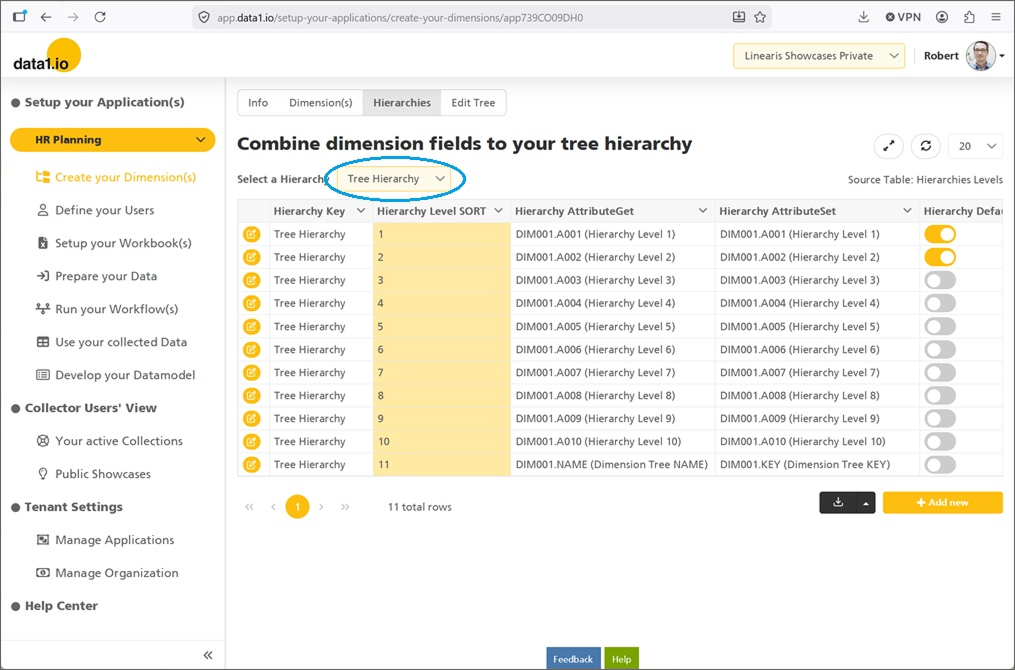
… to make it easier especially for new users to see that you have to make a choice in those screens:
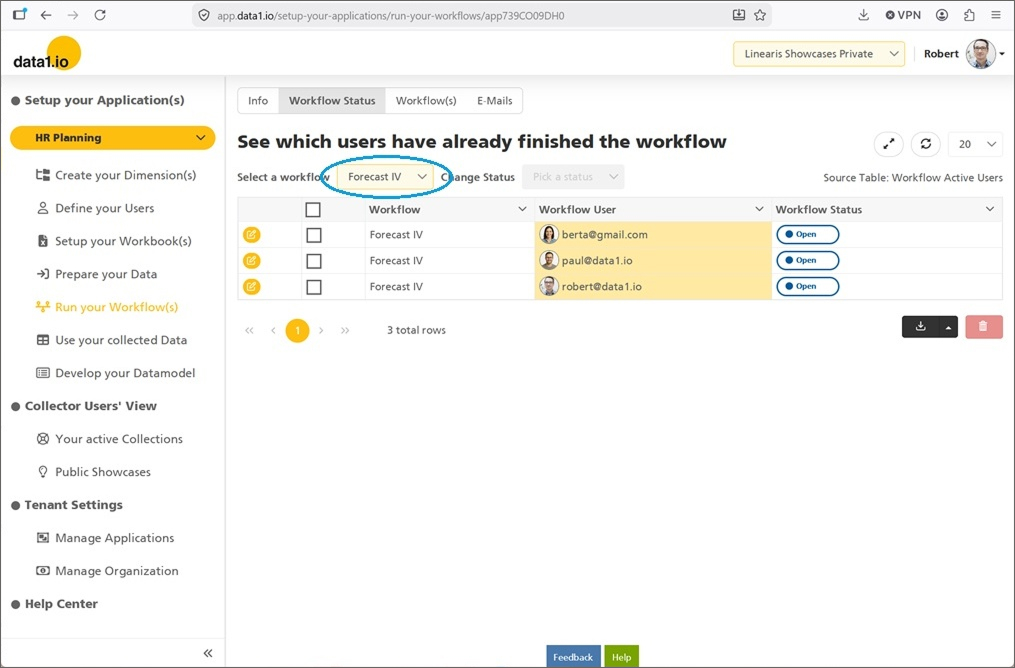
c. New Info Box for User Dropdowns
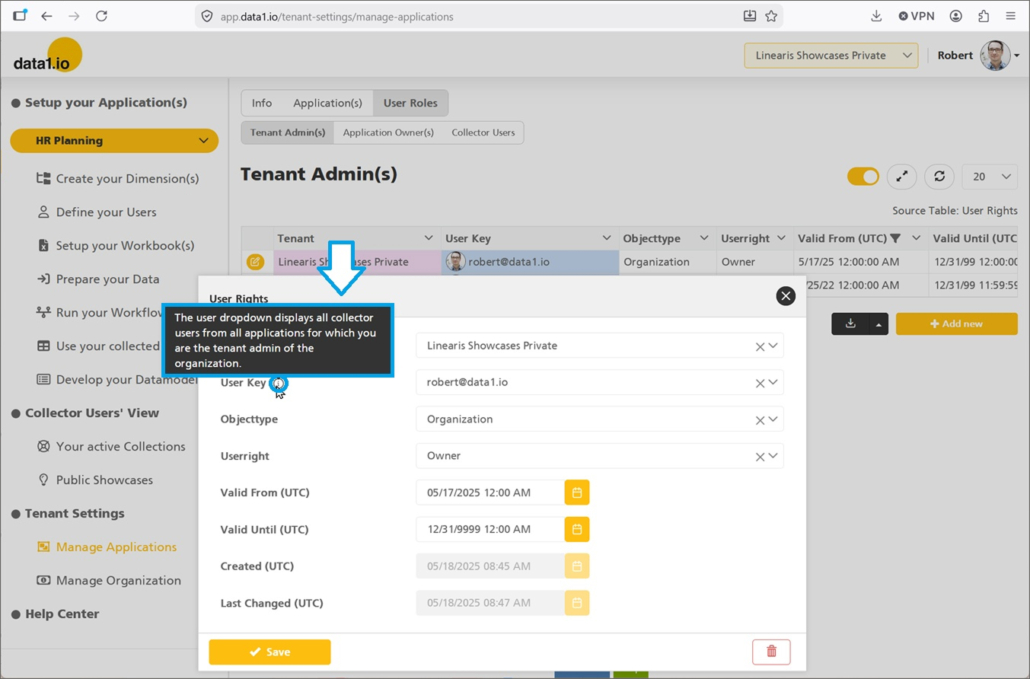
Since it is not always clear why the user dropdown contains certain users we have added a new info box at all user dropdowns to explain how the dropdown list is determined:
(4) Frontend: Improved List Query definition
In many use cases list queries are executed only on the bottom level of the dimension tree and not on the sum levels. To make as list query inactive on the desired level you could make your formula output this:
- ” ‘a’ = ‘b’ “
- “”
The disadvantage of the first expression is, that this costs performance since it is sent to the SQL database of your application. The disadvantage of the second expression was, that the last output of the list query was not removed (it was done nothing). With this release the second expression (“empty string”) clears the output of the last execution of the list query and sends no new SQL to the database. Therefore it is new best practice.
(5) Further Improvements
There was an effect that some workbooks were shown in quite dark mode when reading new data.
There was another effect when entering a ” / ” for the calculation wizard since this entry was converted by the spreadsheet to a date value.
We have also improved the display folders for the copy, transform and delete jobs.
There was an issue with formats when using french as browser language.
We hope you like the new features – we are very curious about your feedback!
Please let us know what you think about data1.io and what kind of planning and data collection processes you evaluate to automate.
we #StandWithUkraine

Leave a Reply
Want to join the discussion?Feel free to contribute!